
You can cancel your Pixpa subscription any time, no questions asked.
When you cancel your subscription, you can choose whether to deactivate your website and Pixpa Studio immediately or keep them active until the end of your current subscription period.
If you choose to keep your subscription active, your website and Studio will remain accessible and you can continue managing your website until the next renewal date. Once the current subscription period ends, the website and Studio will become inactive.
You will not be charged for any further renewal after cancelling your subscription.
To cancel your account, follow the steps below:
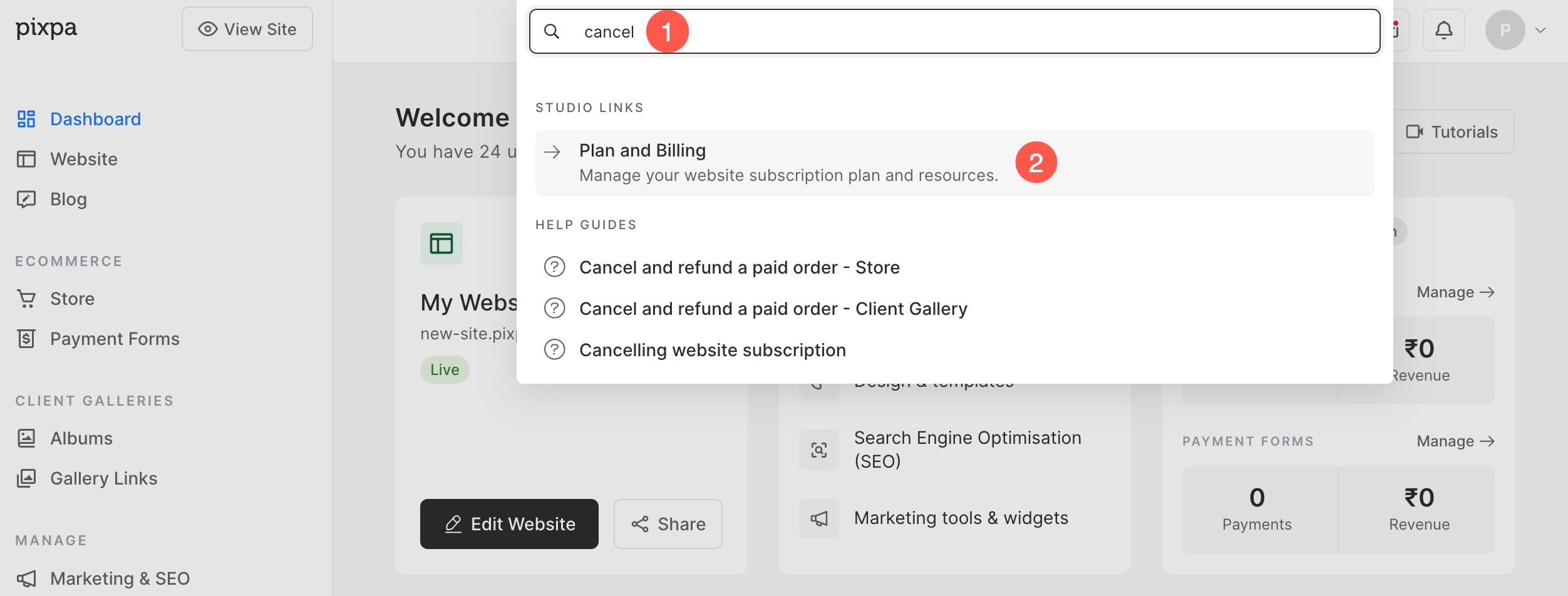
- Search for Cancel (1) in the search bar and select Plan and Billing (2) option under Studio Links.
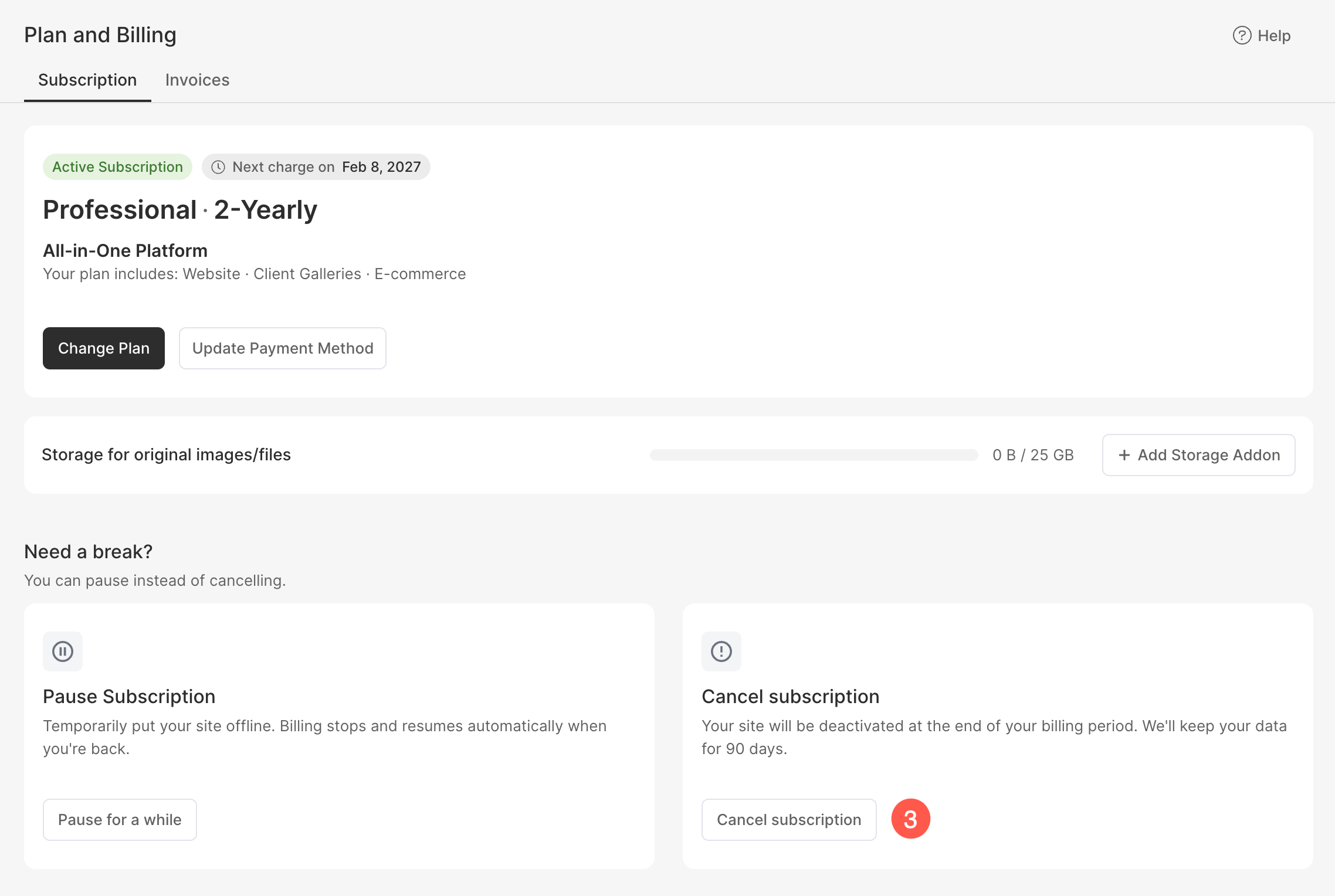
- Scroll down until the bottom of the page and click on Cancel Subscription (3) button.
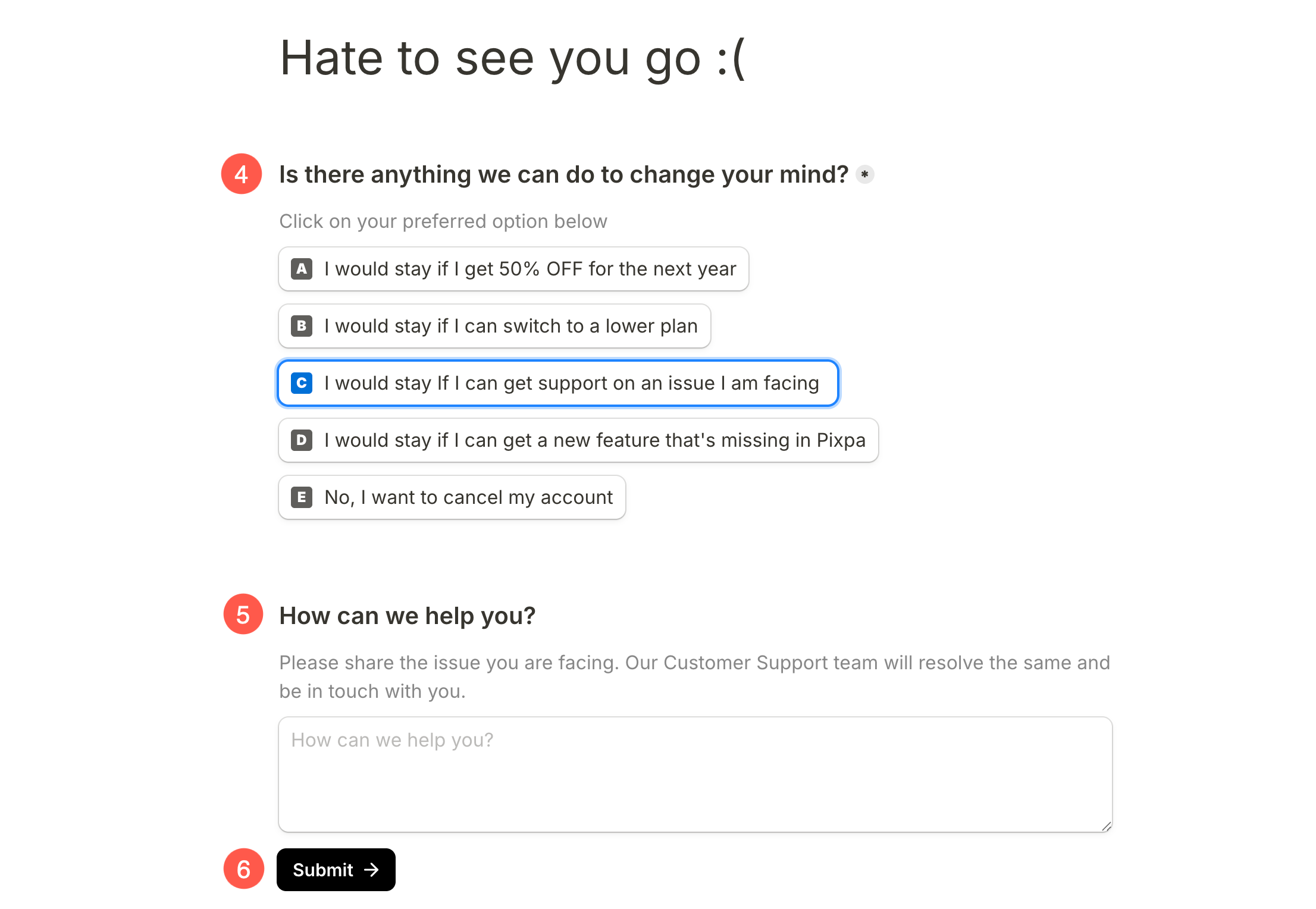
- You’ll now reach the following page where you can choose to:
- Continue with a 50% discount
- Continue by switching to a lower plan
- Continue if you get support on your issue
- Continue if you get the feature that you are looking for
- Cancel your account.
- Share the issue you are facing/the reason for cancellation in detail in the How can we help you? (6) field.
- Finally, click on the Submit button. We’ll receive your request and do the needful.
Refunds on cancellation
- All monthly subscription payments made to Pixpa are final and non-refundable.
- We will be able to refund any payment made in the last 30 days only for yearly or 2 yearly subscriptions.
- Yearly or two year payments are non refundable after 30 days.