
Your Pixpa domain name is used in the permanent URL of your website. That is your website will always be accessible at https://domainname.pixpa.com.
You can change your Pixpa domain name anytime.
You can also connect a custom domain name with your Pixpa website and access your website at https://www.yourdomainname.com.
Change your Pixpa domain name:
- Go to the Pixpa dashboard.
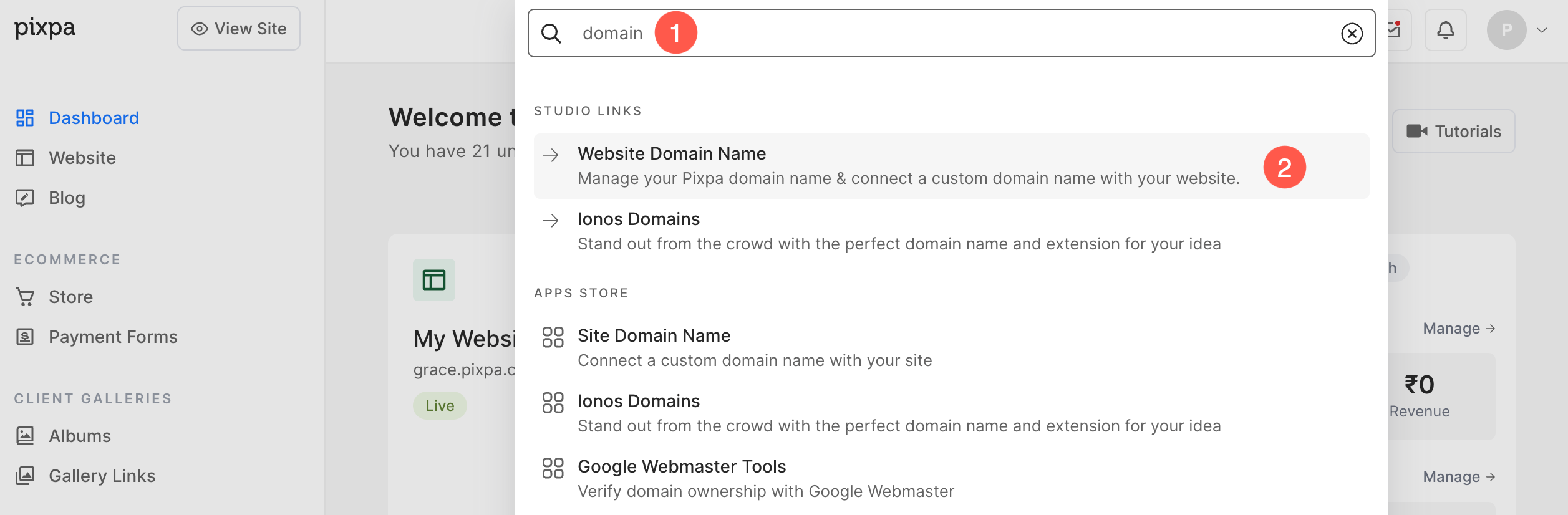
- Search for Domain (1) and click on the Website Domain Name (2) option.
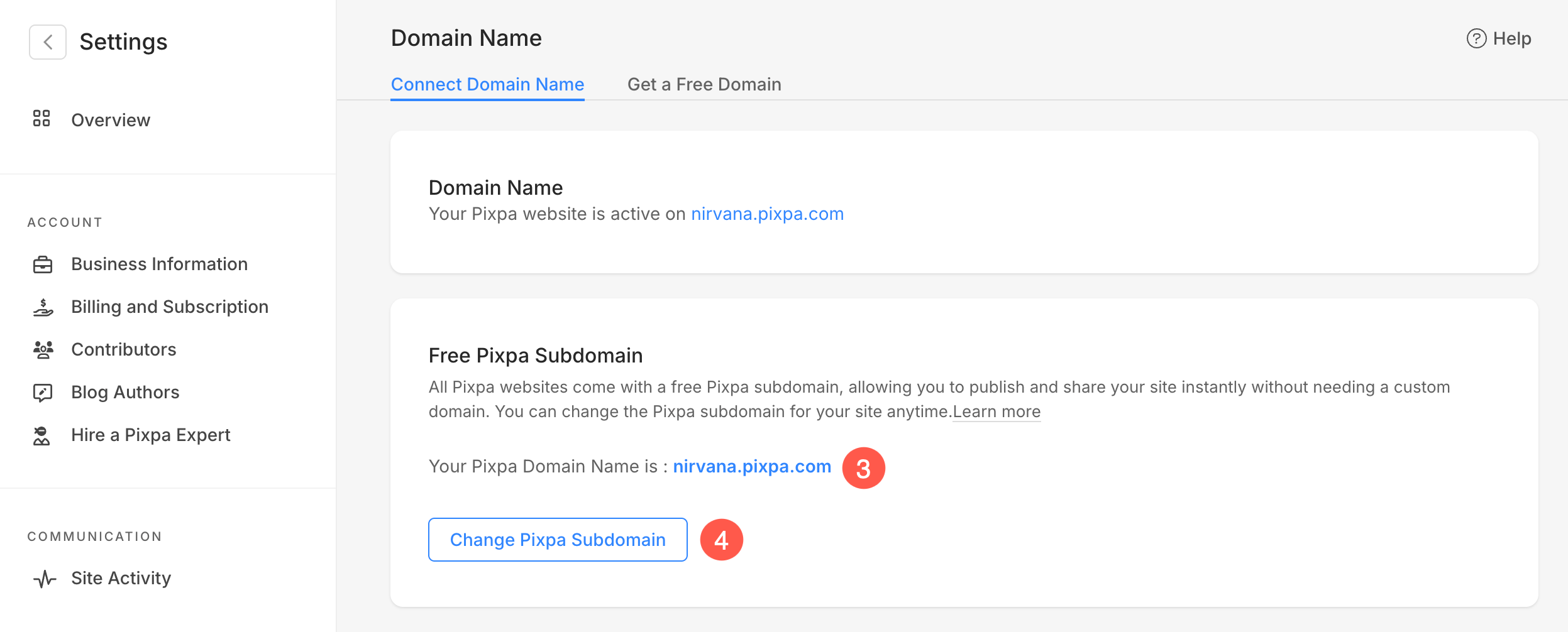
- You’ll reach the Site Domain Name page.
- From here, you would be able to check the Current Pixpa domain name (3).
- Click on the Change Domain Name (4) button to change the Pixpa domain.
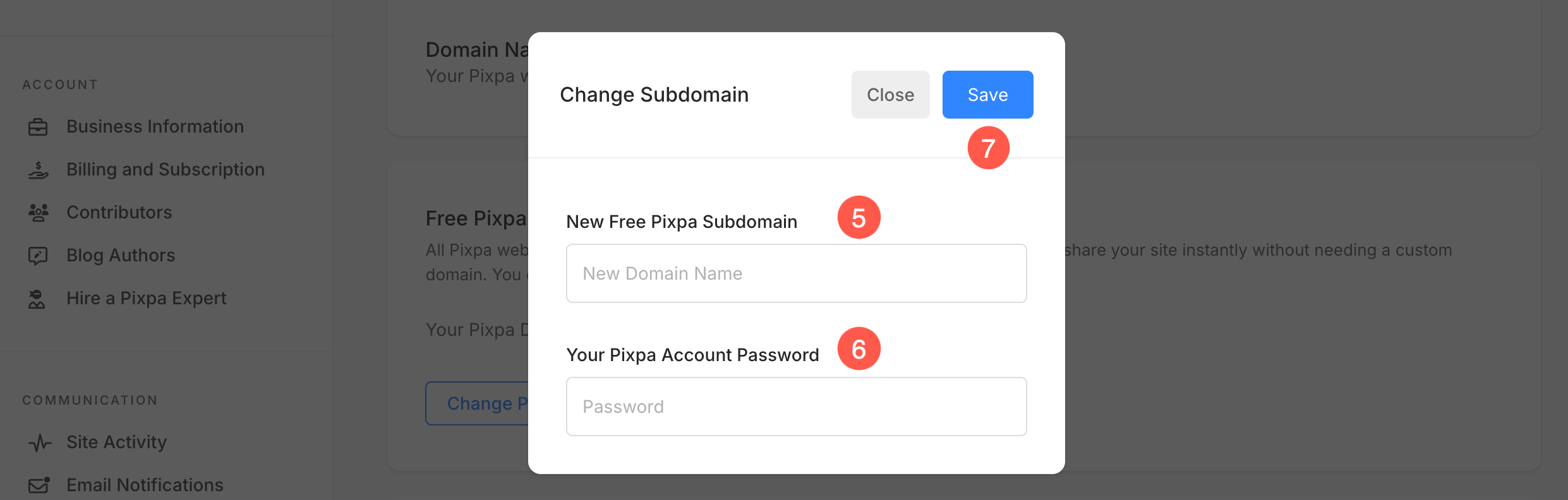
- You will now see a popup as shown below.
- Enter the New Pixpa Domain name (5) that you want and the current password (6) of your Pixpa account.
- Finally, hit the Save (7) button.
- Your website will now be live on a new URL – https://newpixpadomainname.pixpa.com.