A Price List is a set of Print products, Merchandise, Self-fulfillment products, and Digital download options. You can add these products to the sheet and set the price of each of them (along with your margin).
Once you are done, you can apply the price list to any e-Commerce enabled Gallery so that you can start taking orders.
Types of Price Lists
There are 3 types of Price Lists as follows:
Visit the price lists page in Sell Images
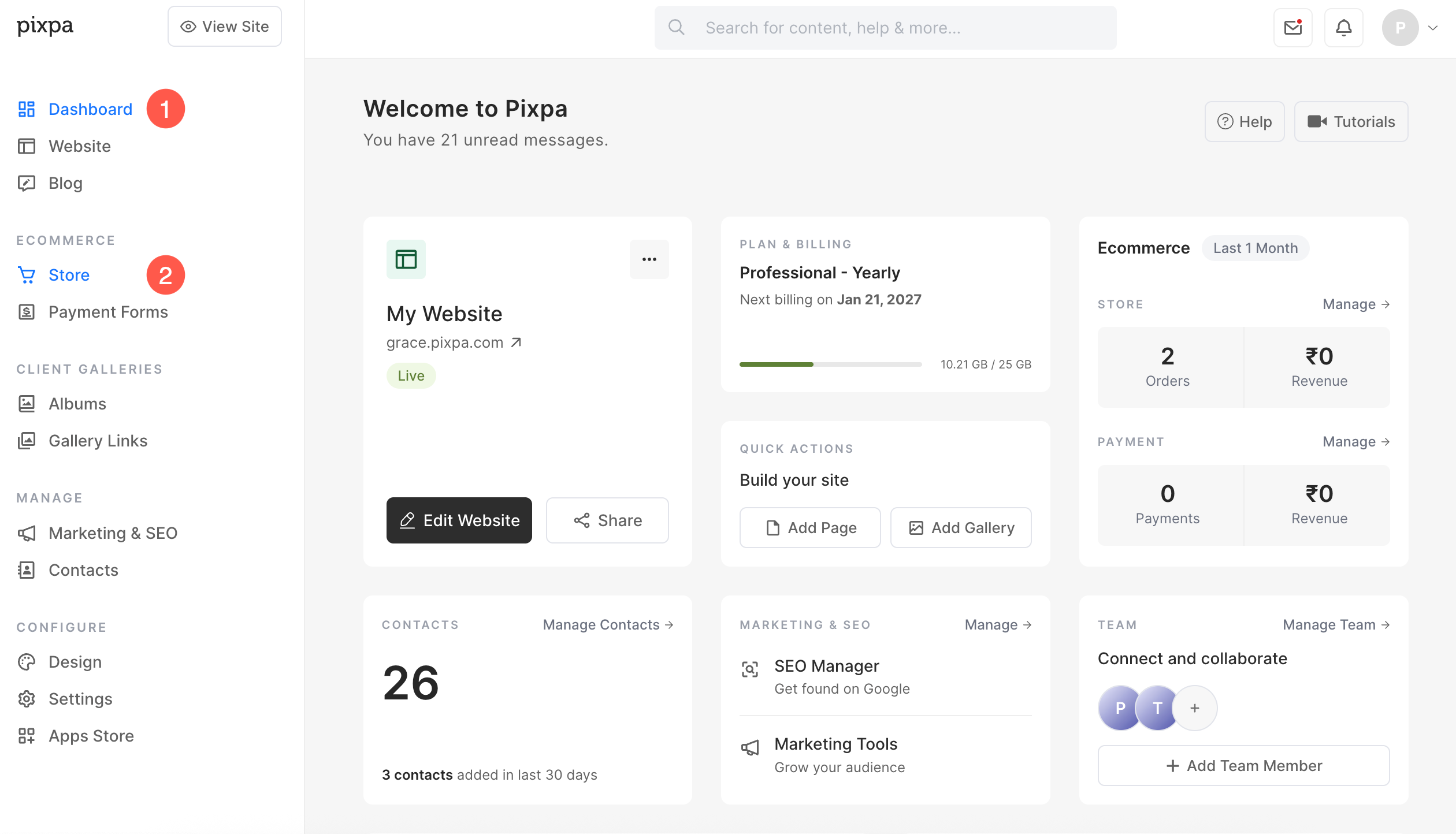
- Under the Store, open Price Lists (3) option.

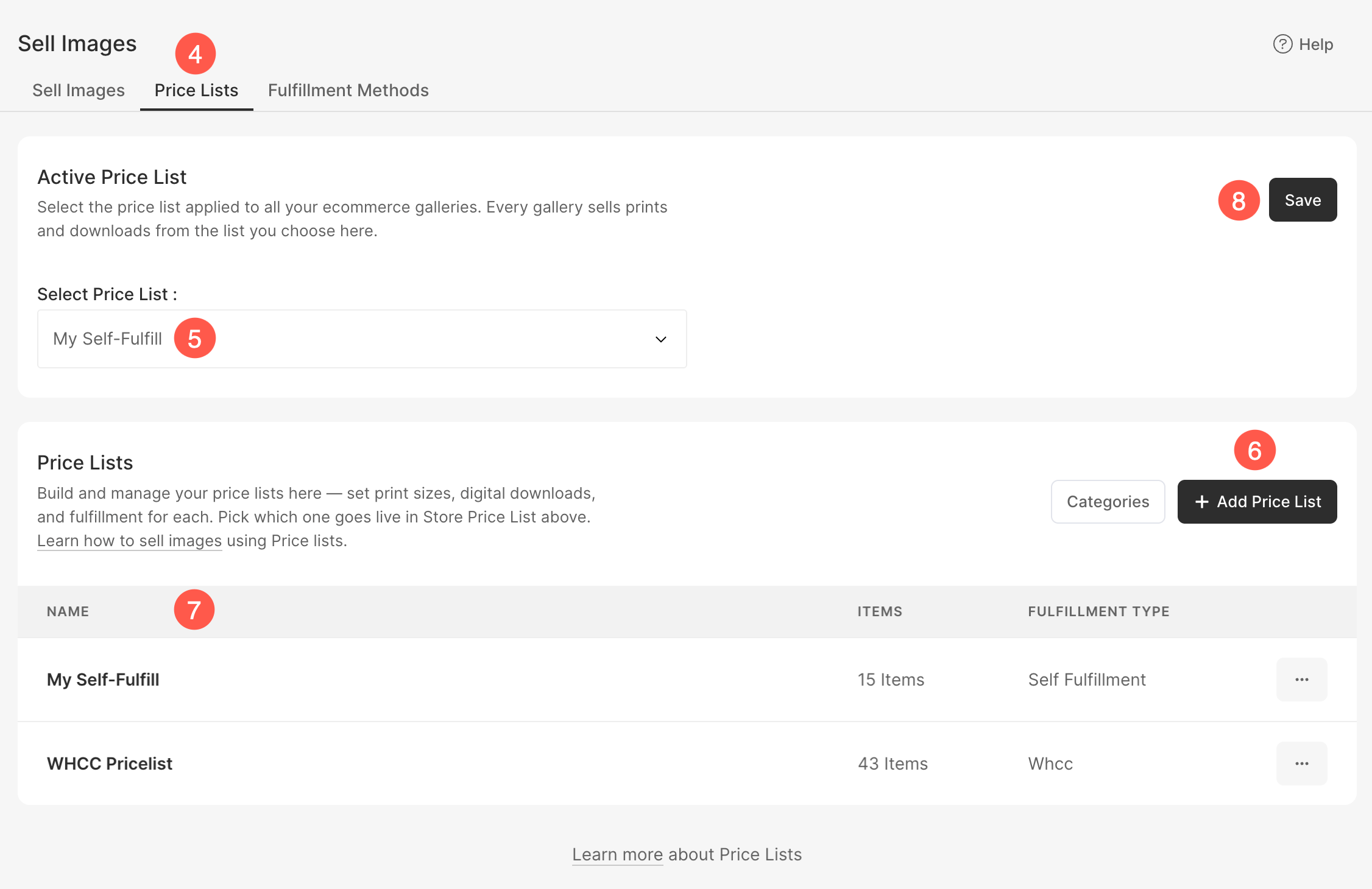
- You will reach the Price Lists (4) page.
- Under Active Price List (5), select the price list that you want to use as the default price list for all your eCommerce galleries on your website.
- Click Add Price List (6) to create a new price list. You can add a Self Fulfillment, a Print Vendor, or a WHCC price list.
- The Price Lists section (7) displays all the price lists available in your account along with the number of items and the associated fulfillment method. Click the three dots (⋯) menu next to a price list to edit, duplicate, or delete it.
- Click Save (8) to apply your changes.