You can change the business owner information for your Pixpa account from the Business Information page.
Follow the steps below to change it:
- Login to Pixpa studio.
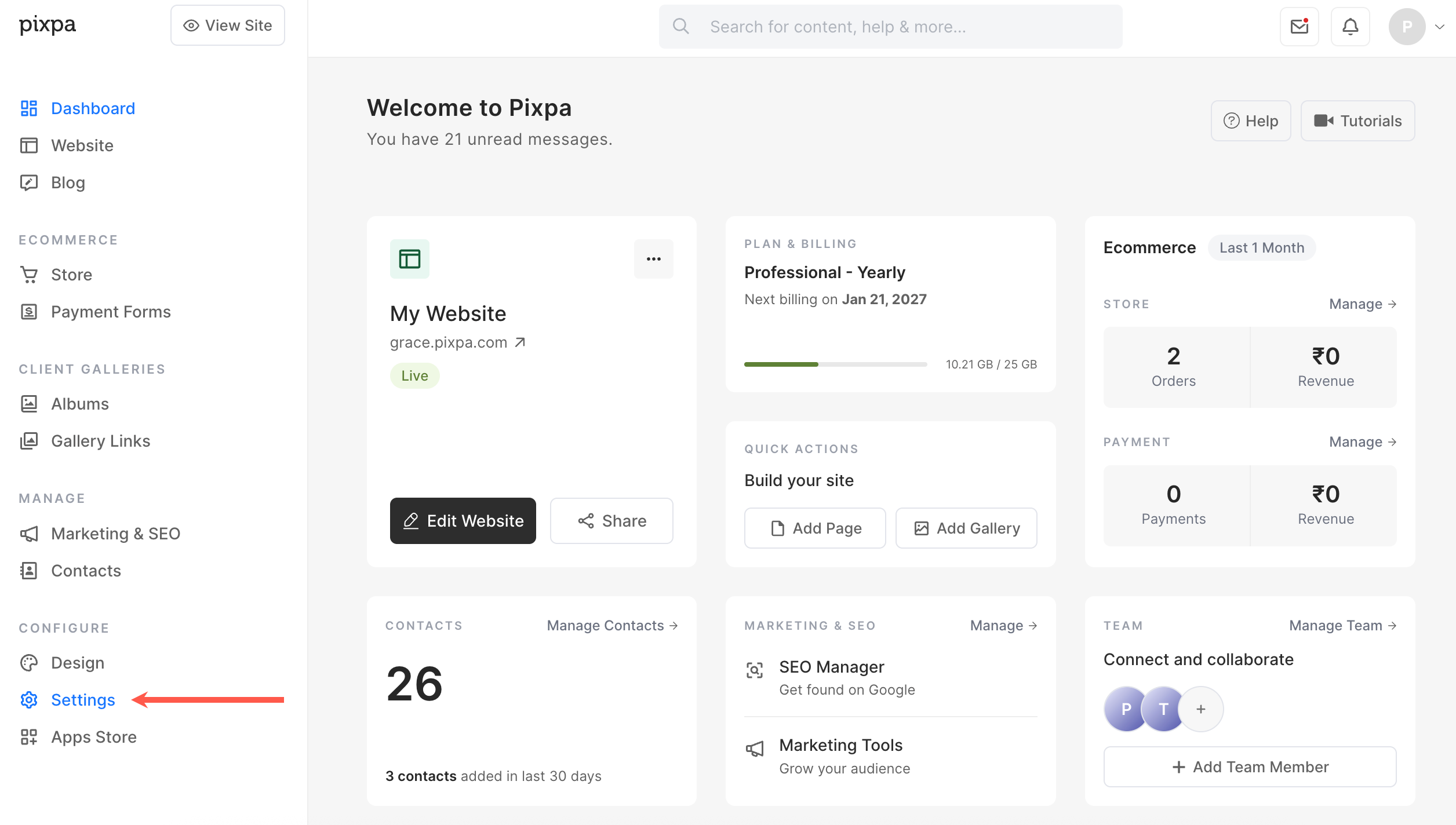
- Click on Settings in the left sidebar.
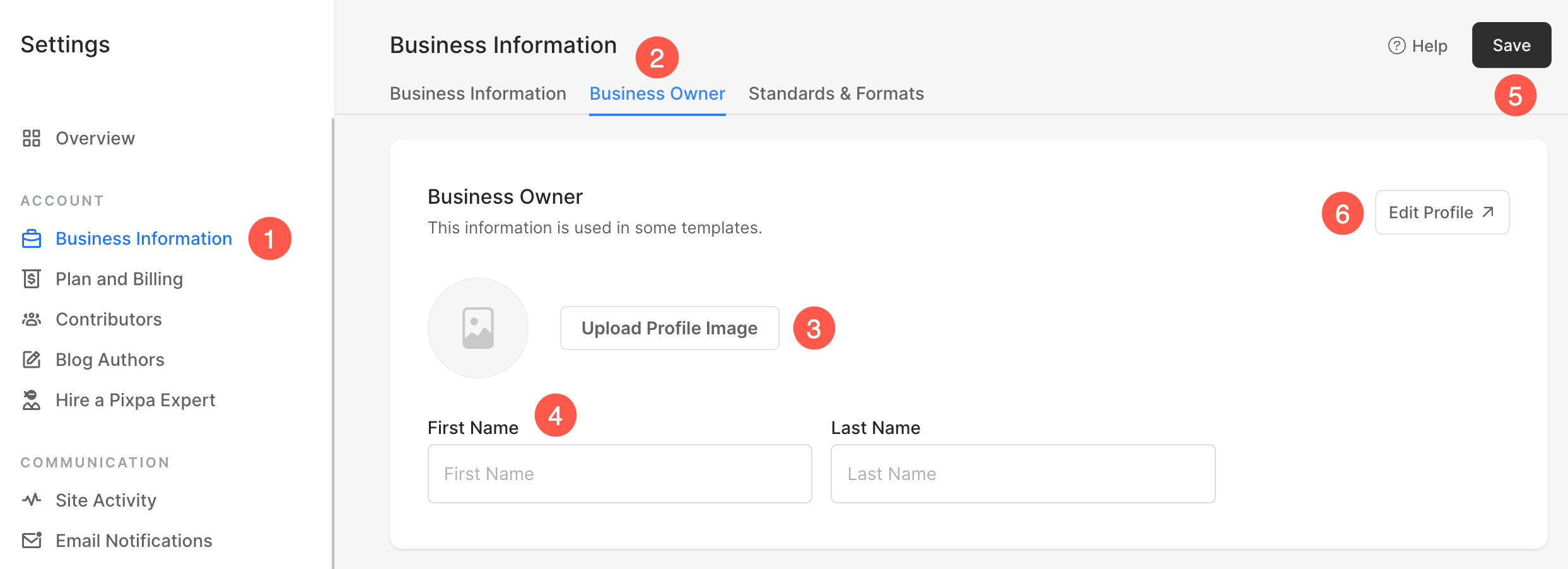
Under the Business Information (1) section, click on the Business Owner (2) tab. Here, you can view and edit the following:
- Upload Profile image – Change/upload the profile/avatar image of the new owner here.
- Name – Edit the first and last name of the new owner here.
- Hit the Save button to update your changes.
- For more changes such as Title/Role, Slug, and Bio Information, click on Edit Profile button. Learn more.