You can change the registered email address for your Pixpa account from the My account page.
Follow the steps below to change it:
- Login to Pixpa studio.
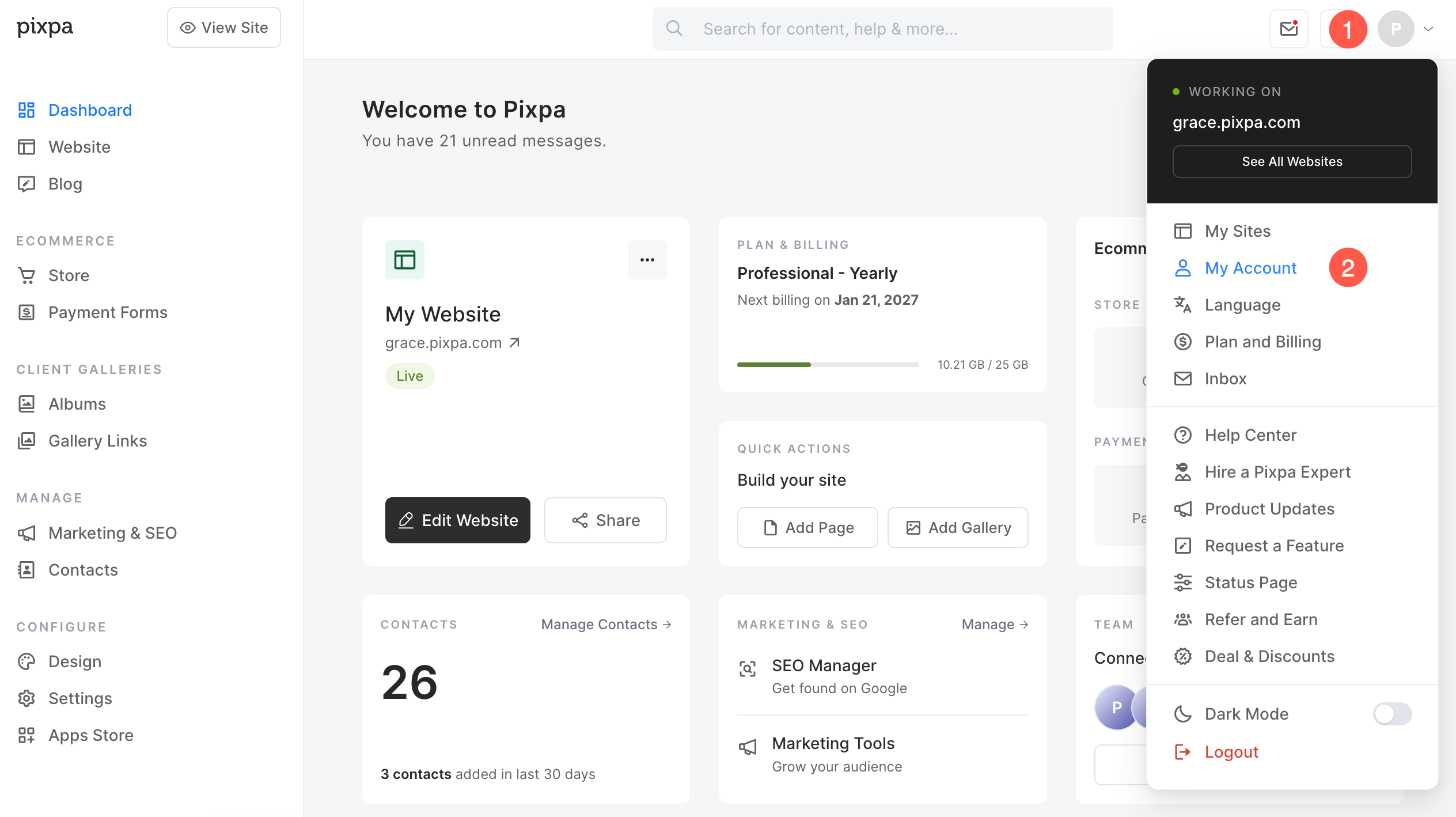
- Click on the avatar icon (1) in the top right corner.
- Select My Account (2) option.
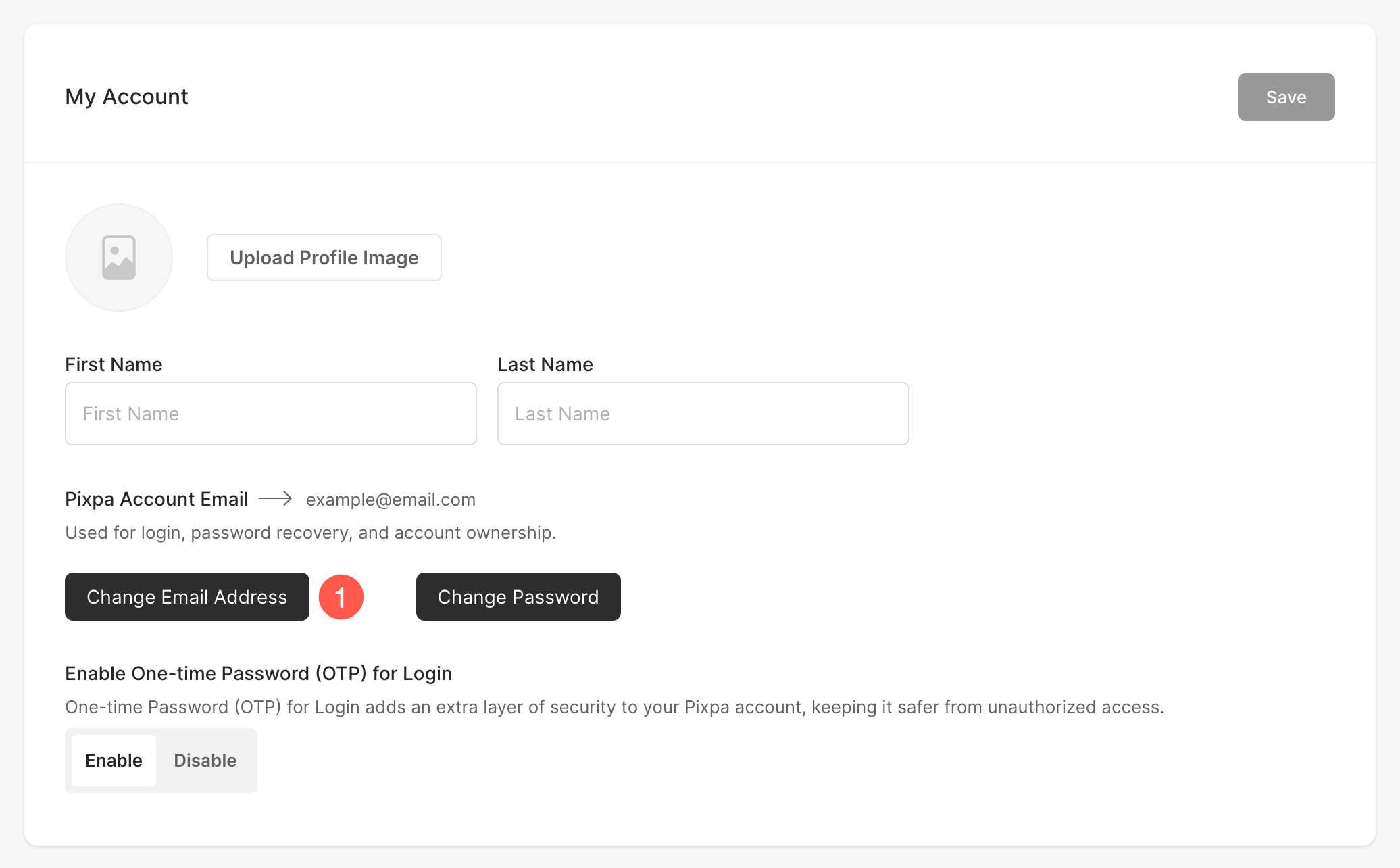
- Under the Pixpa Account Email field, click on the Change Email Address (1) button.
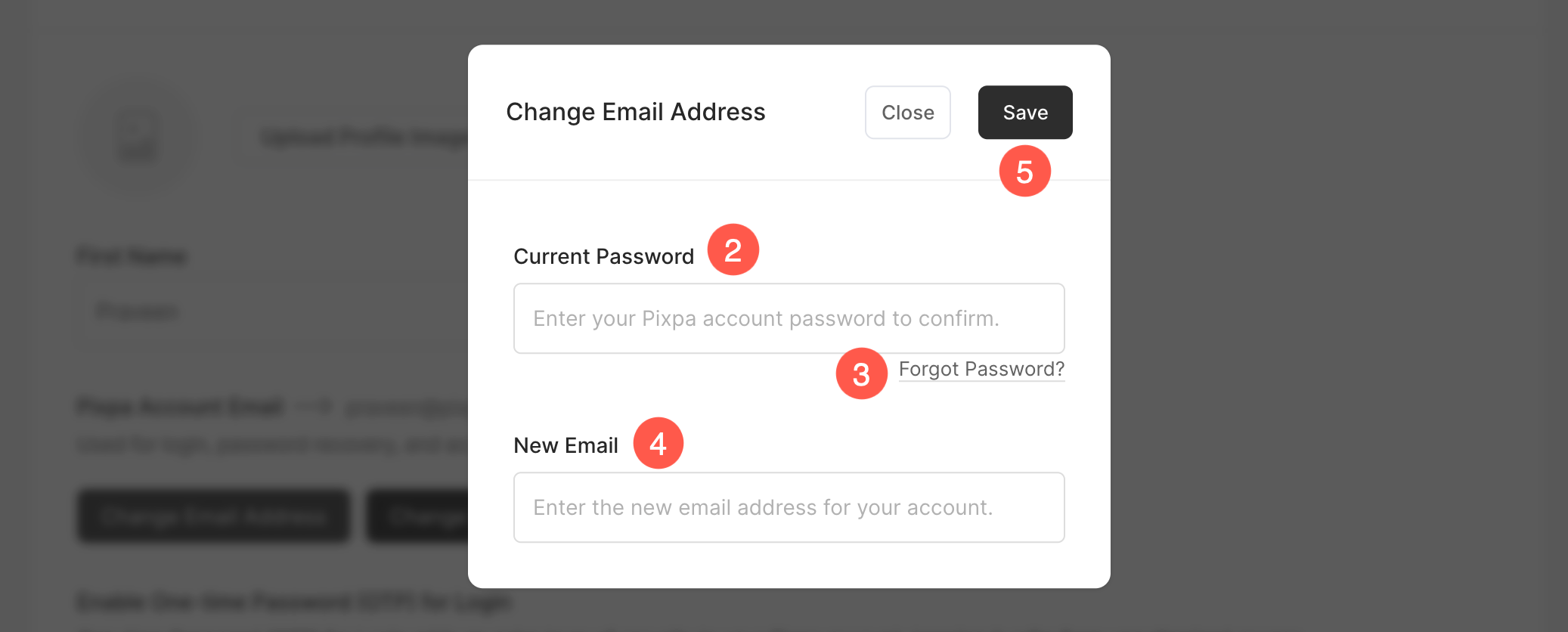
- You’ll now see the Change Email Address popup.
- Enter your Current Password (2) here to verify your identity before making any changes.
- If needed, you can request a password reset email by clicking the Forgot Password (3) link.
- Enter the New Email (4) address you want to use for your Pixpa account.
- Click Save (5) button to confirm and update your email address after entering all required details.