
Pixpa vous offre un essai gratuit de 15 jours pour découvrir sa plateforme de création de sites web . Pendant cette période d'essai, vous pouvez explorer Pixpa, nous poser vos questions et commencer à créer votre site .
Vous pouvez démarrer votre abonnement dès que vous êtes prêt dans les 15 jours de l'essai gratuit ou même après l'expiration de votre essai. Votre site Web sera mis en ligne et accessible à tous une fois que vous aurez commencé l'abonnement.
Lorsque vous êtes prêt à démarrer votre abonnement, suivez ces étapes :
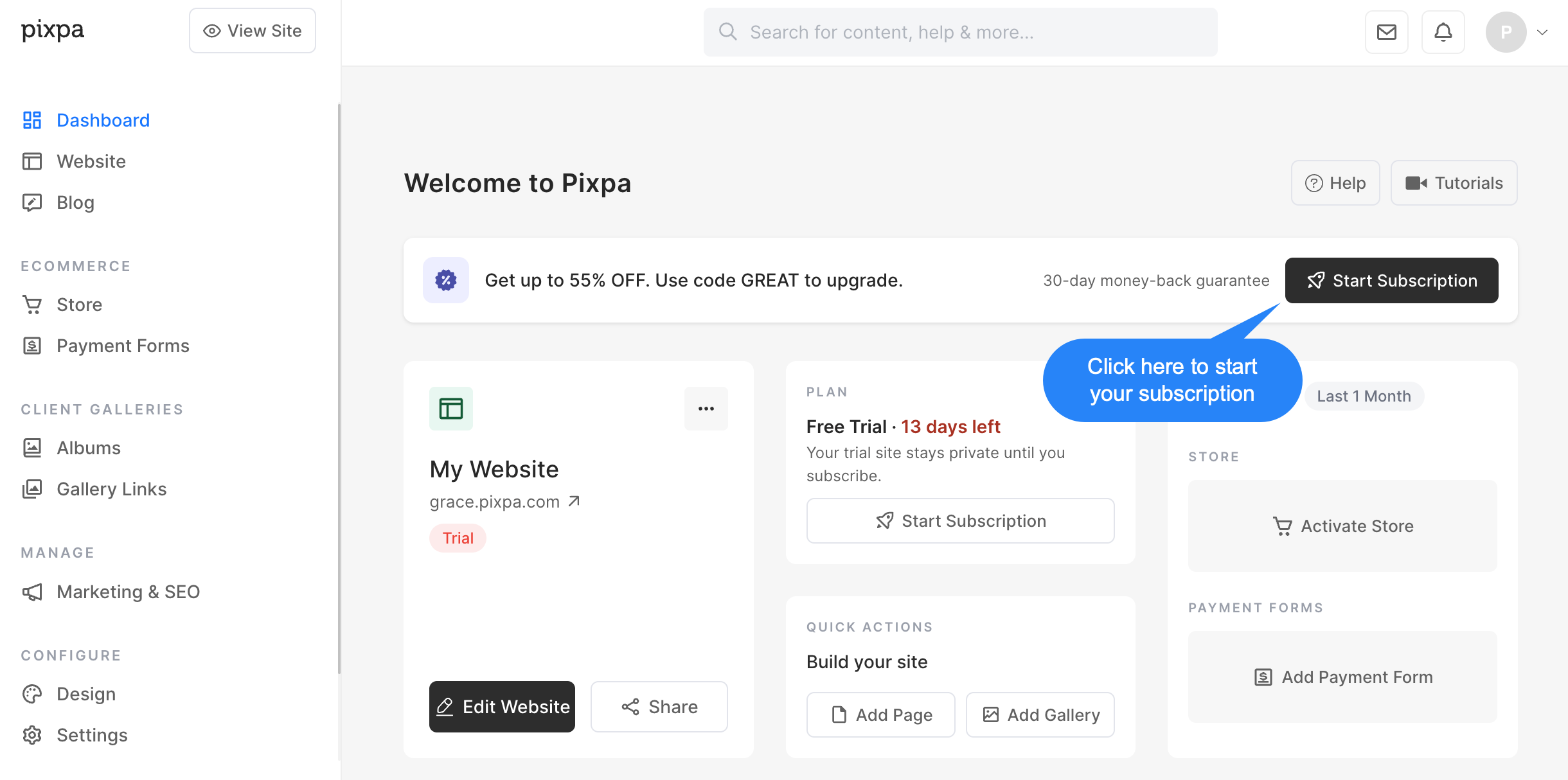
- Cliquez sur le Démarrer l'abonnement bouton dans le studio.
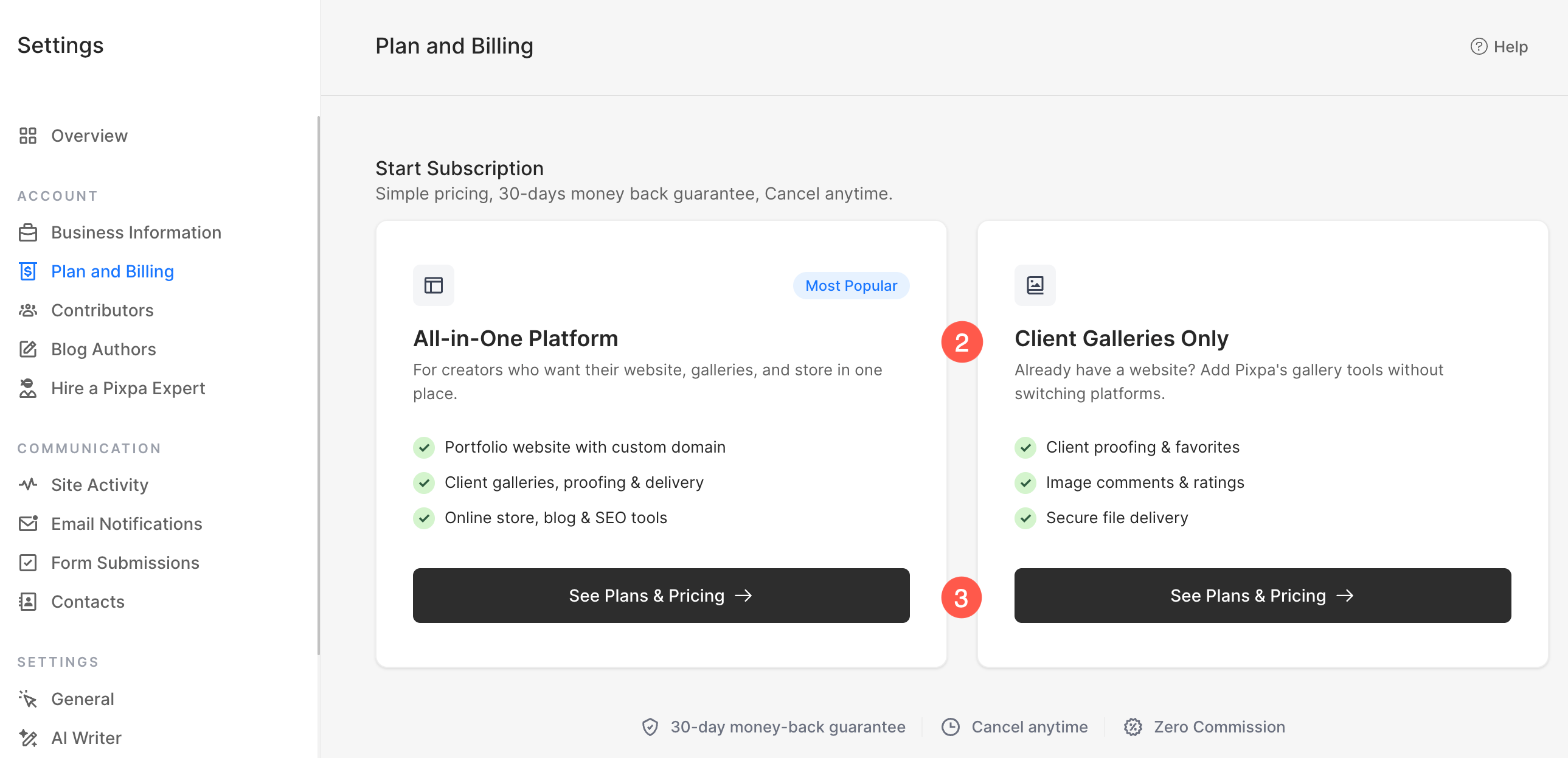
- Sur l'écran suivant, choisissez le type de forfait qui correspond le mieux à vos besoins :
- Plateforme tout-en-un
- Comprend un site web complet avec un nom de domaine personnalisé.
- Inclut les galeries clients, la relecture et la livraison des images.
- Inclut une boutique en ligne, un blog et des outils de référencement (SEO).
- Idéal si vous souhaitez créer et gérer l'intégralité de votre site web sur Pixpa.
- Galeries clientes uniquement
- Conçu pour les utilisateurs qui possèdent déjà un site web ailleurs.
- Inclut les corrections du client, les favoris, les commentaires et les évaluations.
- Inclut des outils de diffusion d'images sécurisés.
- Idéal si vous avez uniquement besoin des fonctionnalités de galerie et de gestion des clients de Pixpa, sans avoir besoin d'un site web complet.
- Cliquez à nouveau Voir les forfaits et les tarifs sous votre option préférée pour consulter les formules d'abonnement disponibles et finaliser le processus d'abonnement.
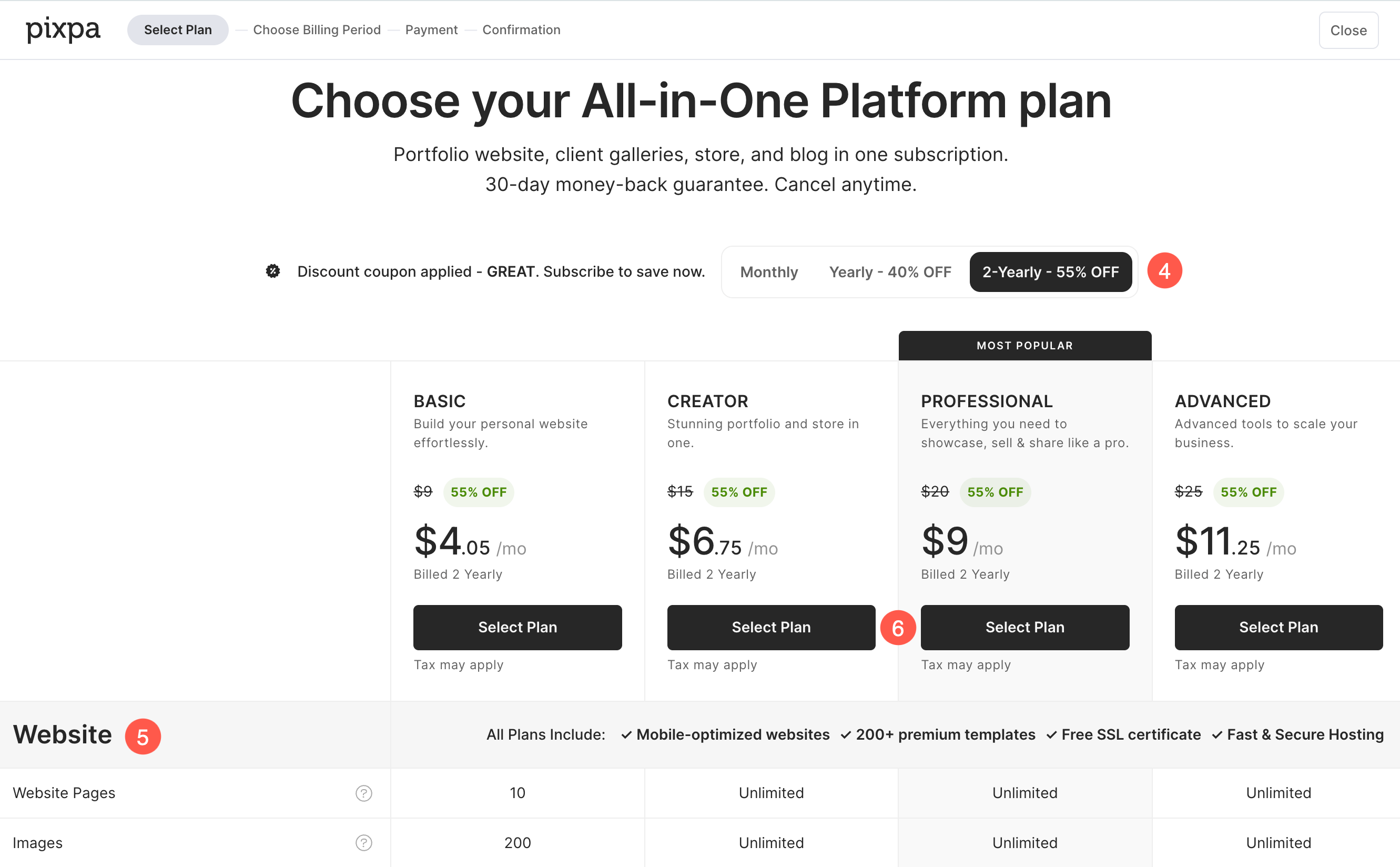
- Basé sur type de forfait sélectionné À l'étape précédente, les formules d'abonnement disponibles vous ont été présentées. Choisissez celle qui vous convient. période de facturation qui correspond le mieux à vos besoins :
- Mensuel
- Annuel
- 2 an
- Chaque forfait comprend un ensemble différent de ressources et fonctionnalitésVous pouvez les comparer directement sur cette page avant de faire votre choix. Faites défiler vers le bas pour voir la comparaison détaillée tableau répertoriant toutes les ressources et fonctionnalités incluses dans chaque forfait.
- Une fois que vous avez sélectionné le forfait qui correspond le mieux à vos besoins, cliquez Sélectionnez votre plan passer à l'étape suivante.
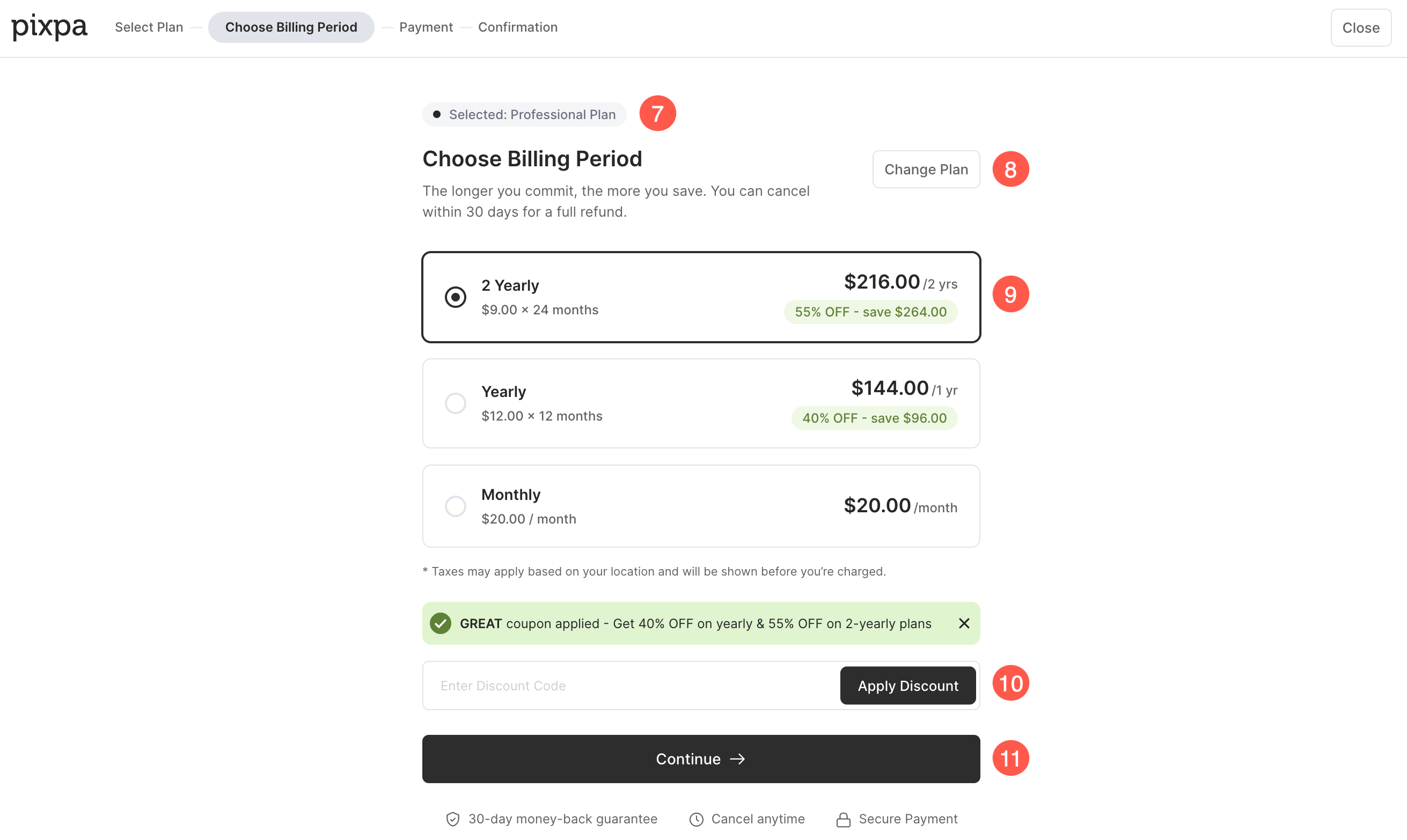
- Vous verrez le plan sélectionné affiché en haut de la page.
- Si vous souhaitez choisir un autre forfait, cliquez sur Changer de plan .
- Ici tu peux Examiner les prix pour le plan sélectionné et Choisissez votre période de facturation préférée (Mensuel, annuel ou bisannuel).
- Si vous avez un coupon de réductionSaisissez le code dans le champ « Code de réduction » et cliquez sur « Appliquer la réduction ». Si un coupon a déjà été appliqué, le prix réduit s’affichera automatiquement.
- Une fois que vous avez examiné les détails du forfait et sélectionné votre période de facturation préférée, cliquez Continuer pour accéder à la page de paiement.
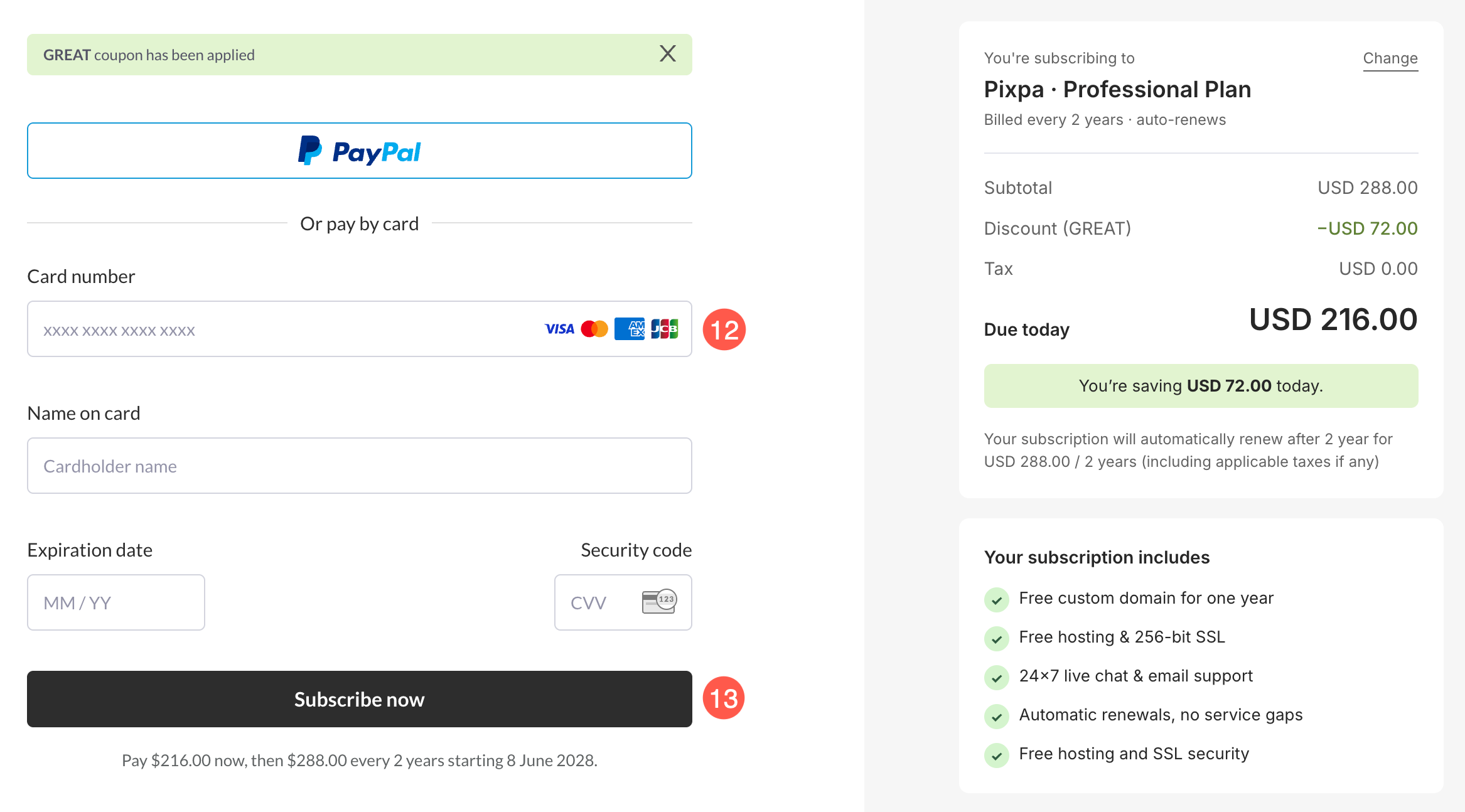
- Vous serez alors redirigé vers la page de paiement où vous pourrez soumettez vos informations (nom, adresse e-mail et coordonnées de carte de crédit) pour démarrer votre abonnement.
- Une fois que vous êtes prêt, cliquez sur le Inscrivez-vous bouton pour finaliser votre abonnement.
- C'est ça. Vous avez terminé. Votre compte va maintenant être mis à niveau vers un compte payant.