
Pixpa tilbyder en 15-dages gratis prøveperiode, hvor du kan afprøve vores hjemmesidebyggerplatform . Du kan udforske Pixpa, stille os spørgsmål og begynde at bygge din hjemmeside i denne prøveperiode.
Du kan starte dit abonnement, når som helst du er klar i de 15 dage af den gratis prøveperiode eller endda efter din prøveperiode udløber. Dit websted går live og er tilgængeligt for alle, når du starter abonnementet.
Når du er klar til at starte dit abonnement, skal du følge disse trin:
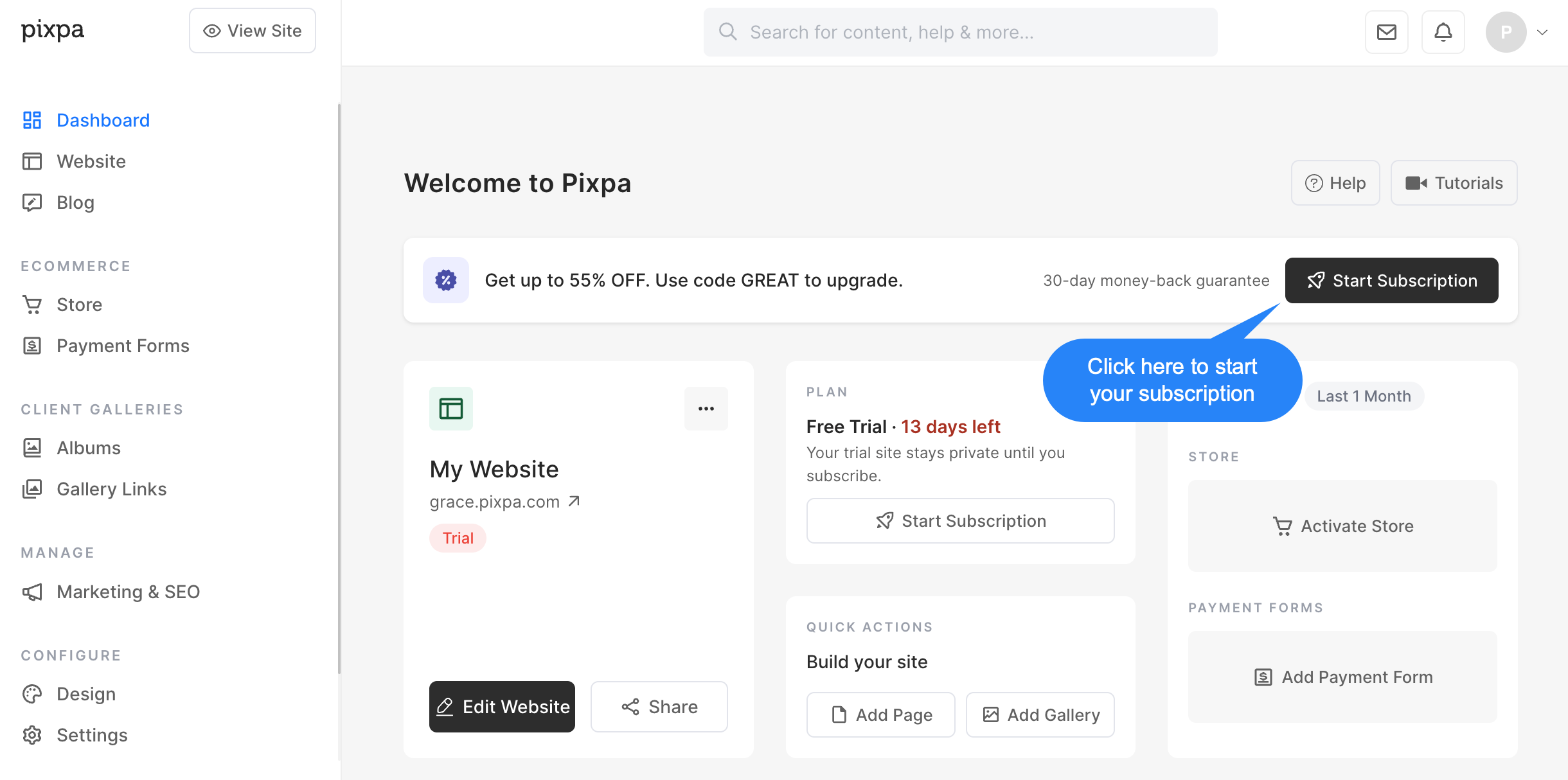
- Klik på Start abonnement knappen i studiet.
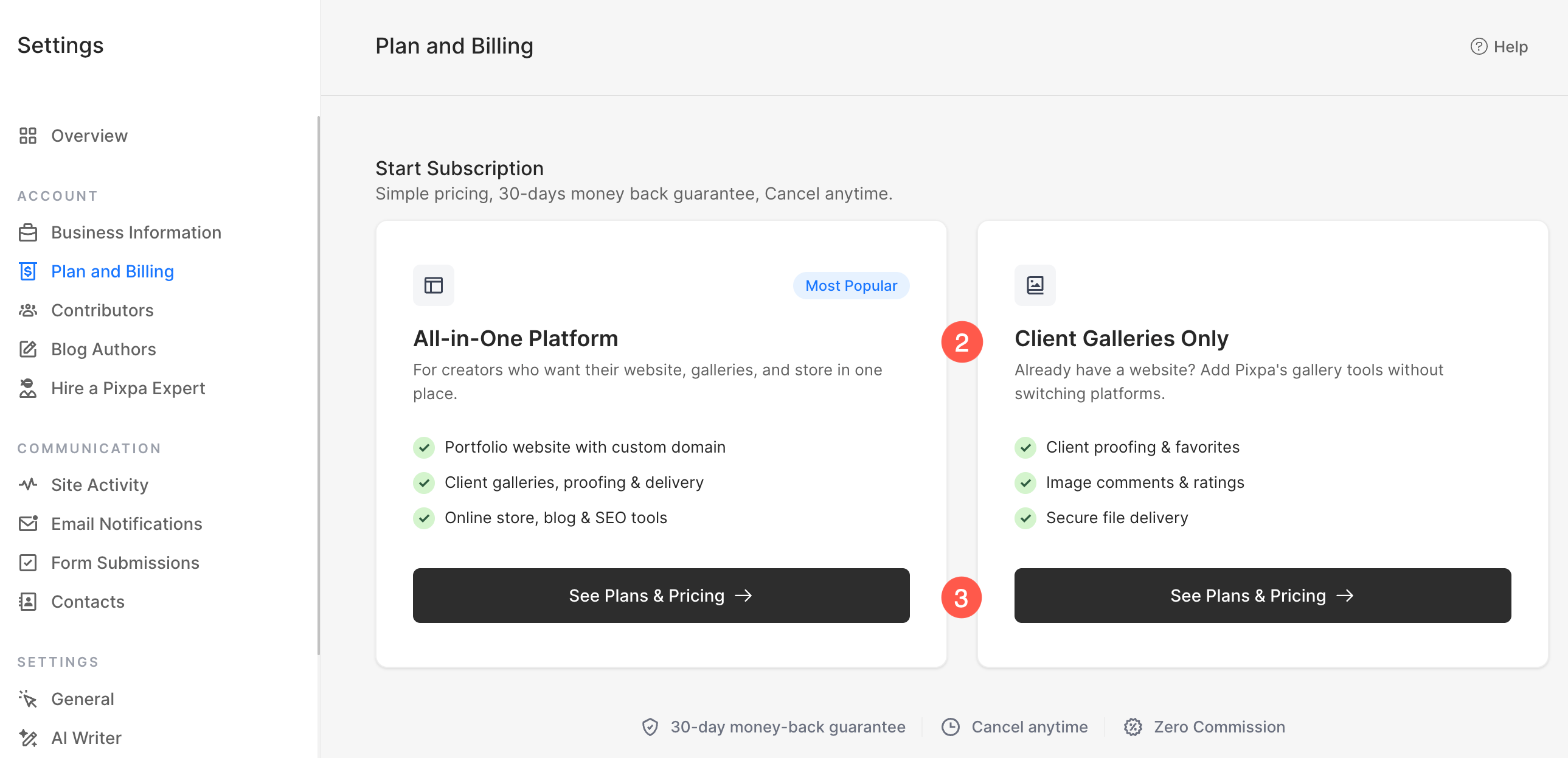
- På det næste skærmbillede, vælg plantypen der bedst passer til dine behov:
- Alt i én platform
- Inkluderer en komplet hjemmeside med et brugerdefineret domæne.
- Inkluderer klientgallerier, korrekturlæsning og billedlevering.
- Inkluderer en onlinebutik, blog og SEO-værktøjer.
- Ideelt hvis du vil bygge og administrere hele din hjemmeside på Pixpa.
- Kun kundegallerier
- Designet til brugere, der allerede har en hjemmeside et andet sted.
- Inkluderer klientkorrektur, favoritter, kommentarer og vurderinger.
- Inkluderer værktøjer til sikker billedlevering.
- Ideelt, hvis du kun har brug for Pixpas galleri og klientadministrationsfunktioner uden en komplet hjemmeside.
- Klik Se planer og priser under din foretrukne mulighed for at se de tilgængelige abonnementsplaner og fuldføre abonnementsprocessen.
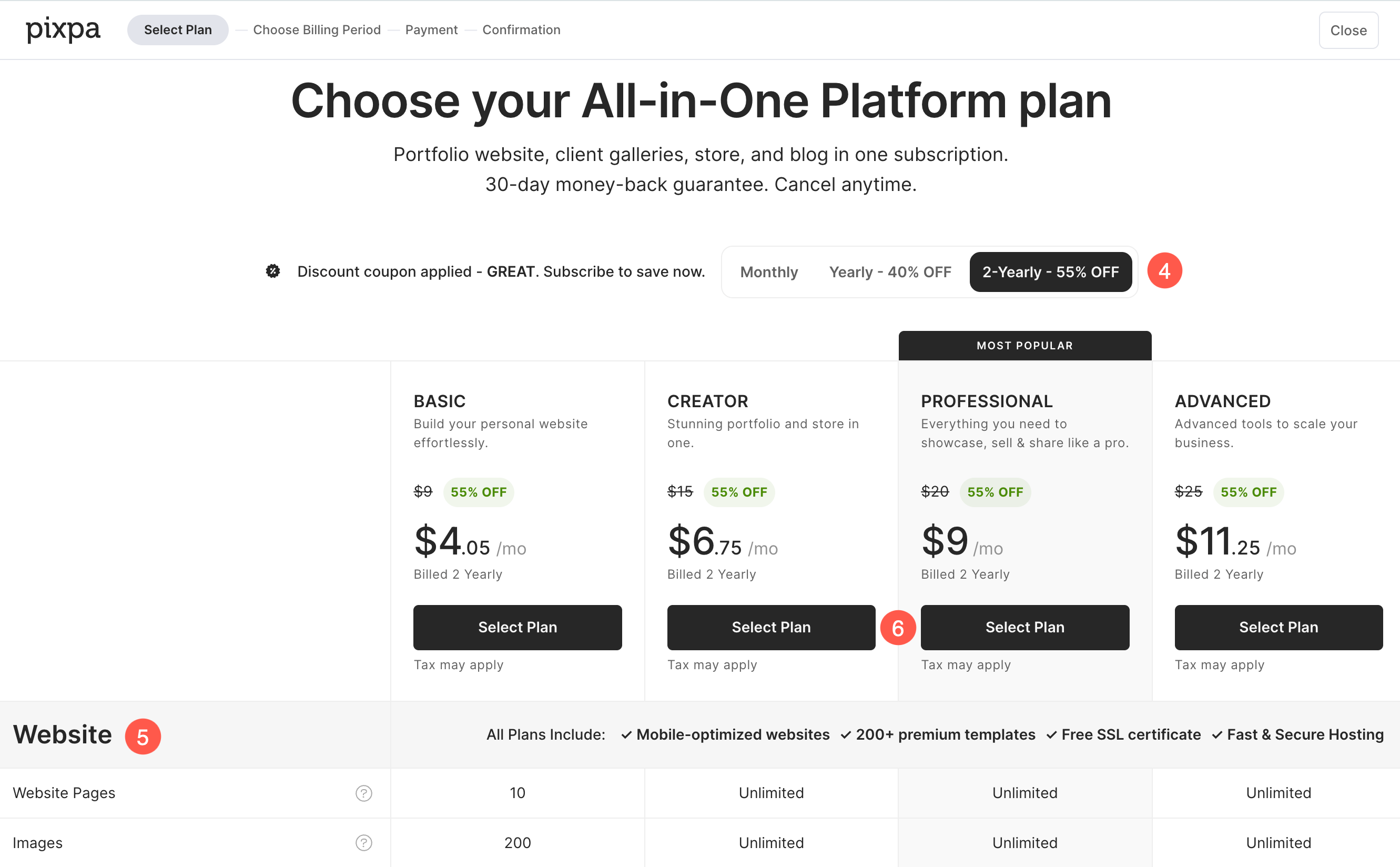
- Baseret på valgt plantype I det forrige trin får du vist de tilgængelige abonnementsplaner. Vælg faktureringsperiode der bedst passer til dine behov:
- / Måned
- Årlig
- 2 årligt
- Hver plan indeholder et forskelligt sæt af ressourcer og funktionerDu kan sammenligne dem direkte på denne side, før du træffer dit valg. Rul ned for at se den detaljerede sammenligning tabel, som viser alle de ressourcer og funktioner, der er inkluderet i hver plan.
- Når du har valgt den plan, der bedst passer til dine behov, skal du klikke på Vælg Plan at gå videre til næste trin.
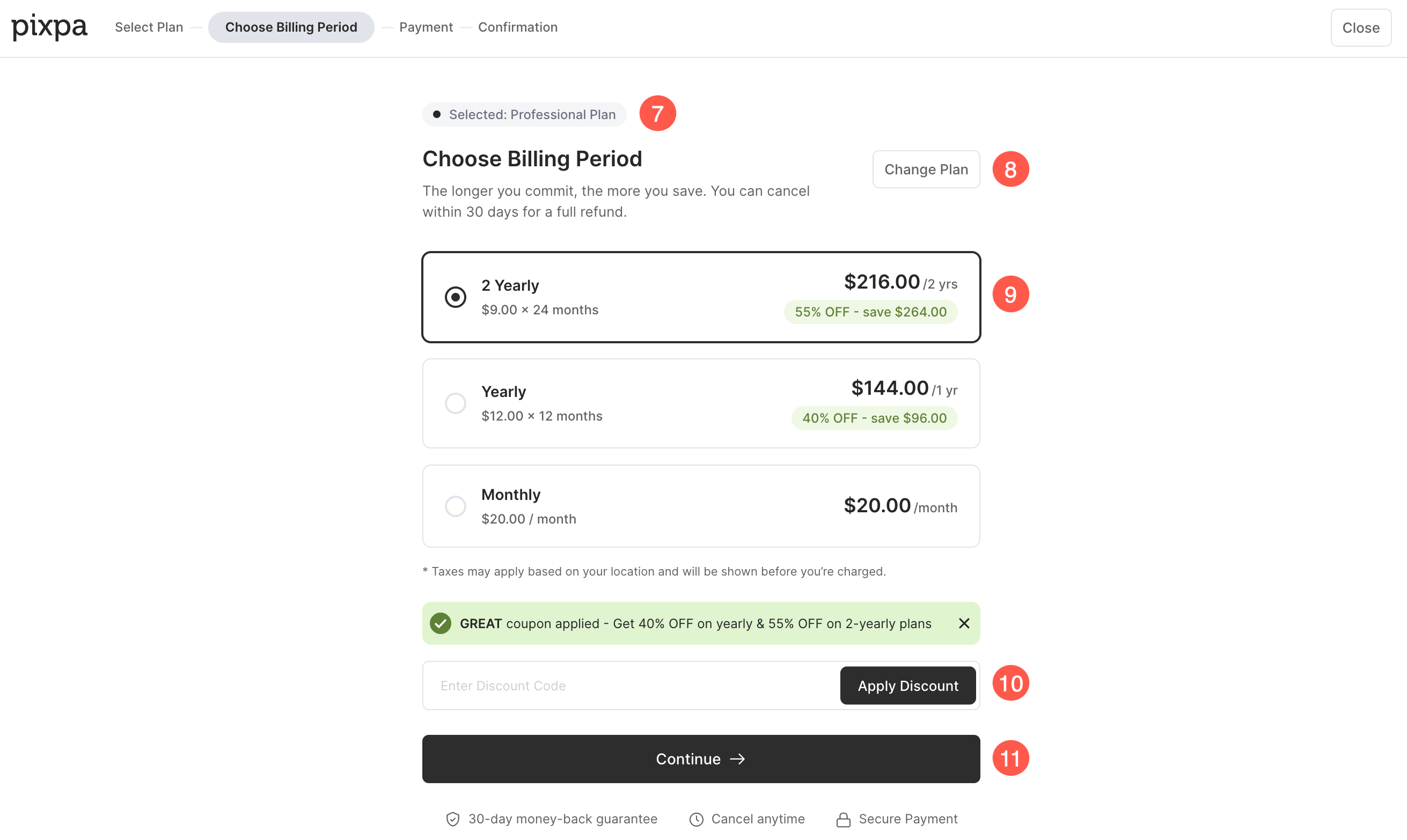
- Du vil se valgt plan vist øverst på siden.
- Hvis du vil vælge en anden plan, skal du klikke på Skift plan .
- Her kan du gennemgå prissætningen for den valgte plan og vælg din foretrukne faktureringsperiode (Månedligt, årligt eller hvert 2. år).
- Hvis du har en rabatkupon, indtast den i feltet Rabatkode og klik på Anvend rabat. Hvis en kupon allerede er anvendt, vises den nedsatte pris automatisk.
- Når du har gennemgået planoplysningerne og valgt din foretrukne faktureringsperiode, skal du klikke på Fortsæt. for at fortsætte til betalingssiden.
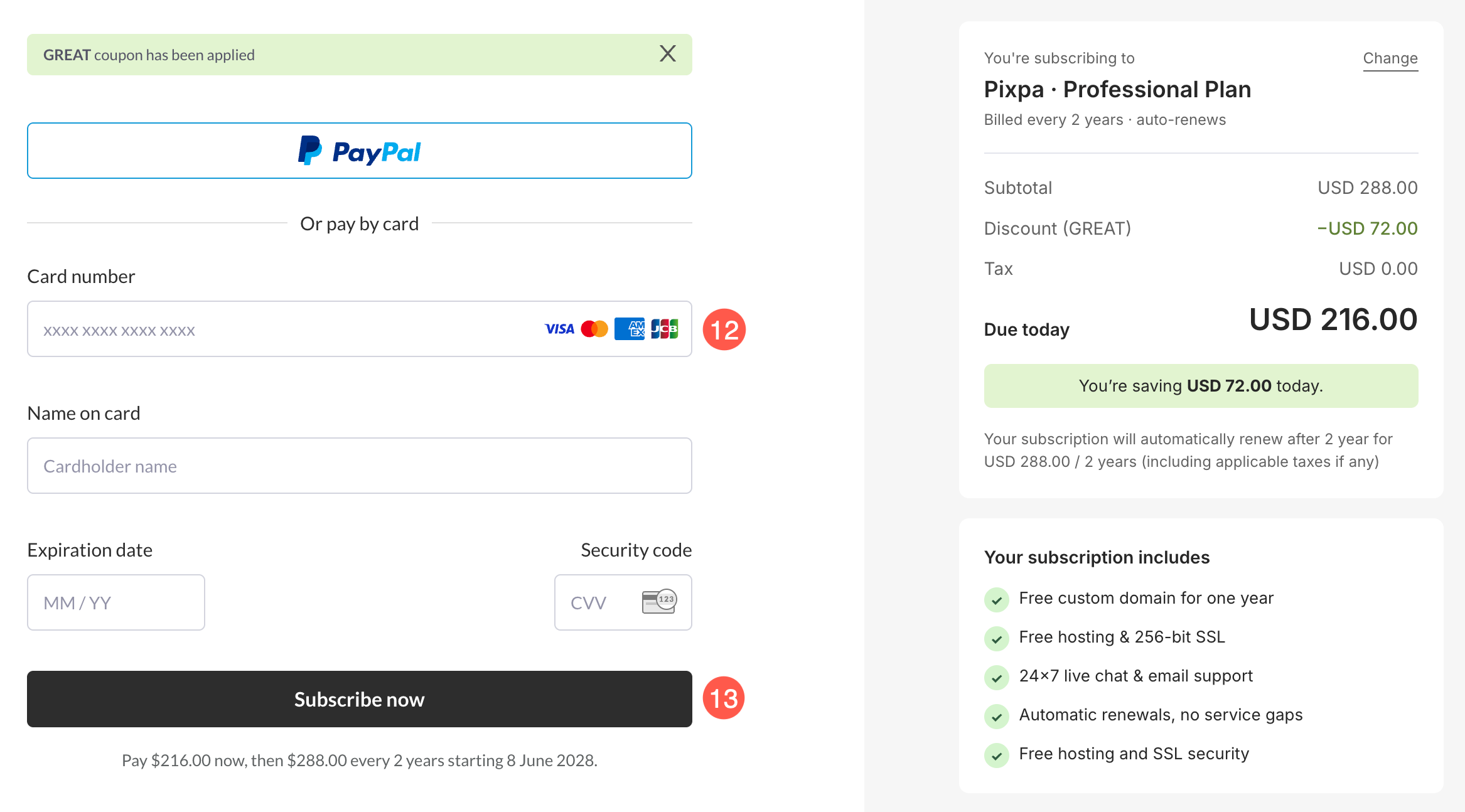
- Dette fører dig til kassesiden, hvor du kan indsend dine oplysninger (navn, e-mail og kreditkortoplysninger) for at starte dit abonnement.
- Når du er klar, skal du klikke på Tilmeld nu knappen for at fuldføre dit abonnement.
- Det er det. Du er færdig. Din konto vil nu blive opgraderet til en betalt konto.