
Pixpa tilbyr en 15-dagers gratis prøveperiode der du kan prøve ut vår plattform for nettstedbyggere . Du kan utforske Pixpa, stille oss spørsmål og begynne å bygge nettstedet ditt i løpet av denne prøveperioden.
Du kan starte abonnementet når du er klar i løpet av de 15 dagene av den gratis prøveperioden eller til og med etter at prøveperioden utløper. Nettstedet ditt vil gå live og være tilgjengelig for alle når du starter abonnementet.
Når du er klar til å starte abonnementet, følger du disse trinnene:
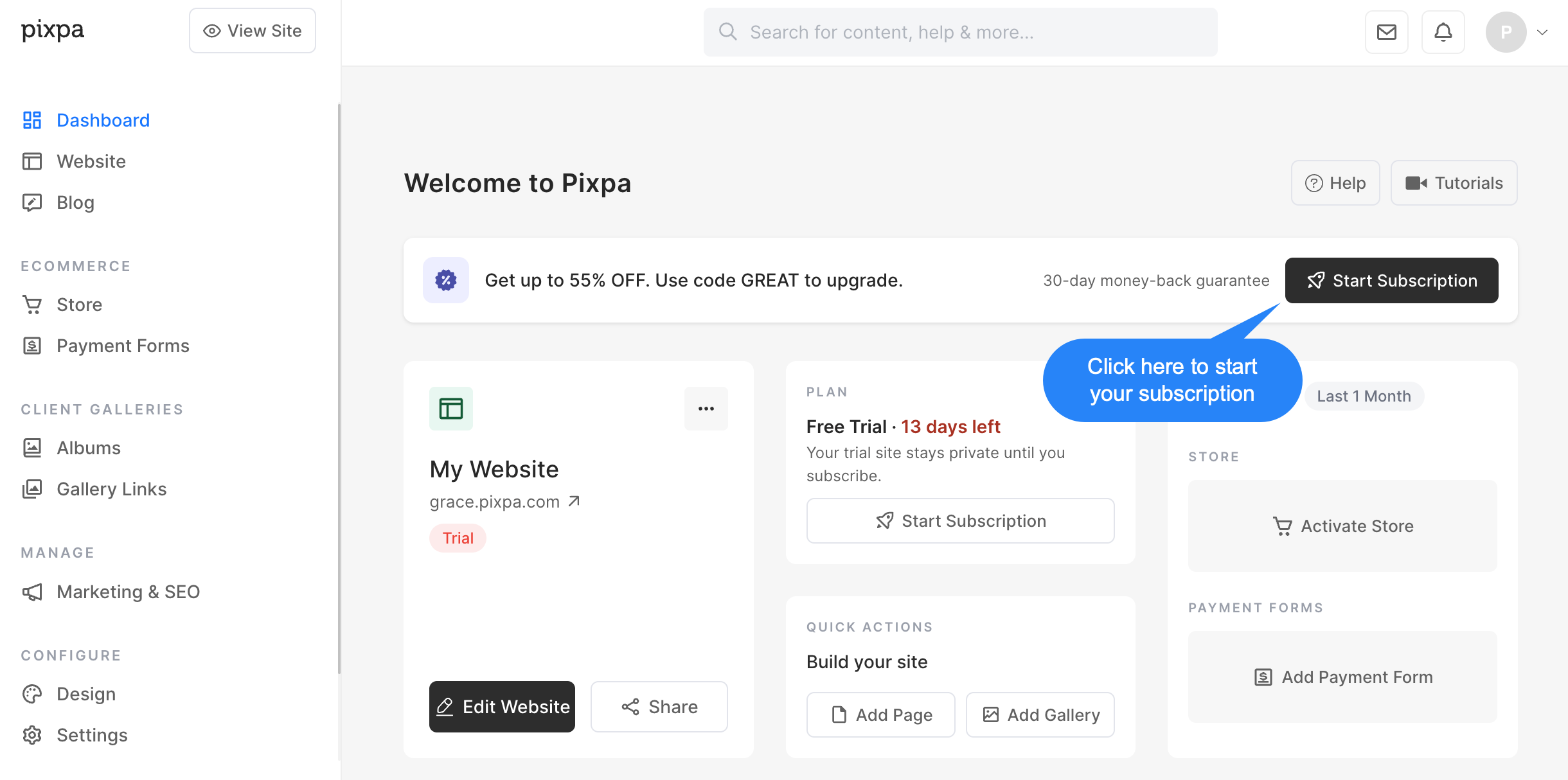
- Klikk på Start abonnement knappen i studioet.
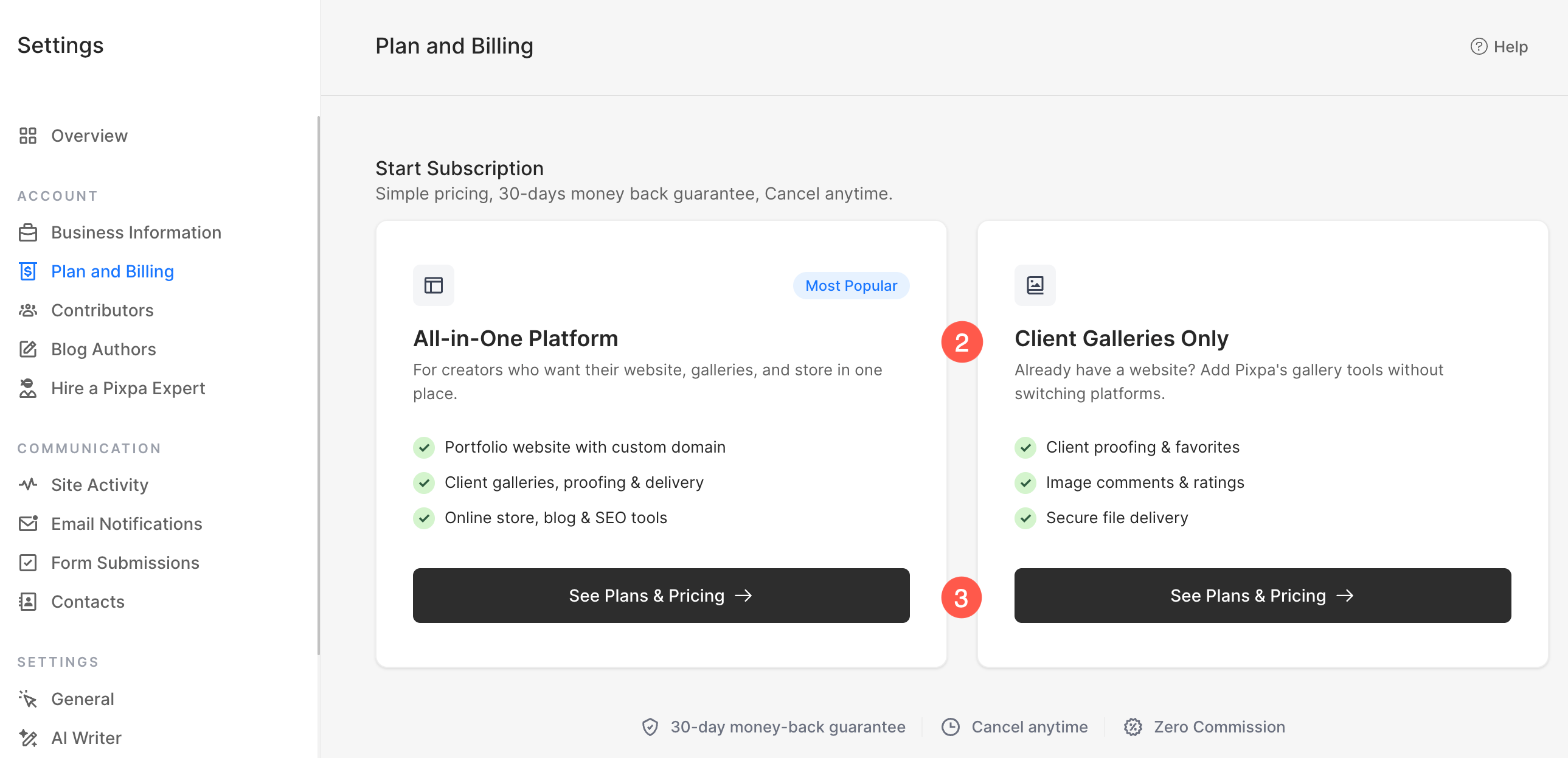
- På neste skjermbilde, velg plantype som best passer dine behov:
- Alt i én plattform
- Inkluderer en komplett nettside med et tilpasset domene.
- Inkluderer klientgallerier, korrekturlesing og bildelevering.
- Inkluderer en nettbutikk, blogg og SEO-verktøy.
- Ideelt hvis du vil bygge og administrere hele nettstedet ditt på Pixpa.
- Kun klientgallerier
- Utviklet for brukere som allerede har et nettsted et annet sted.
- Inkluderer klientkorrektur, favoritter, kommentarer og vurderinger.
- Inkluderer verktøy for sikker bildelevering.
- Ideelt hvis du bare trenger Pixpas galleri og klientadministrasjonsfunksjoner uten et komplett nettsted.
- Klikk Se Planer og priser under ditt foretrukne alternativ for å se tilgjengelige abonnementsplaner og fullføre abonnementsprosessen.
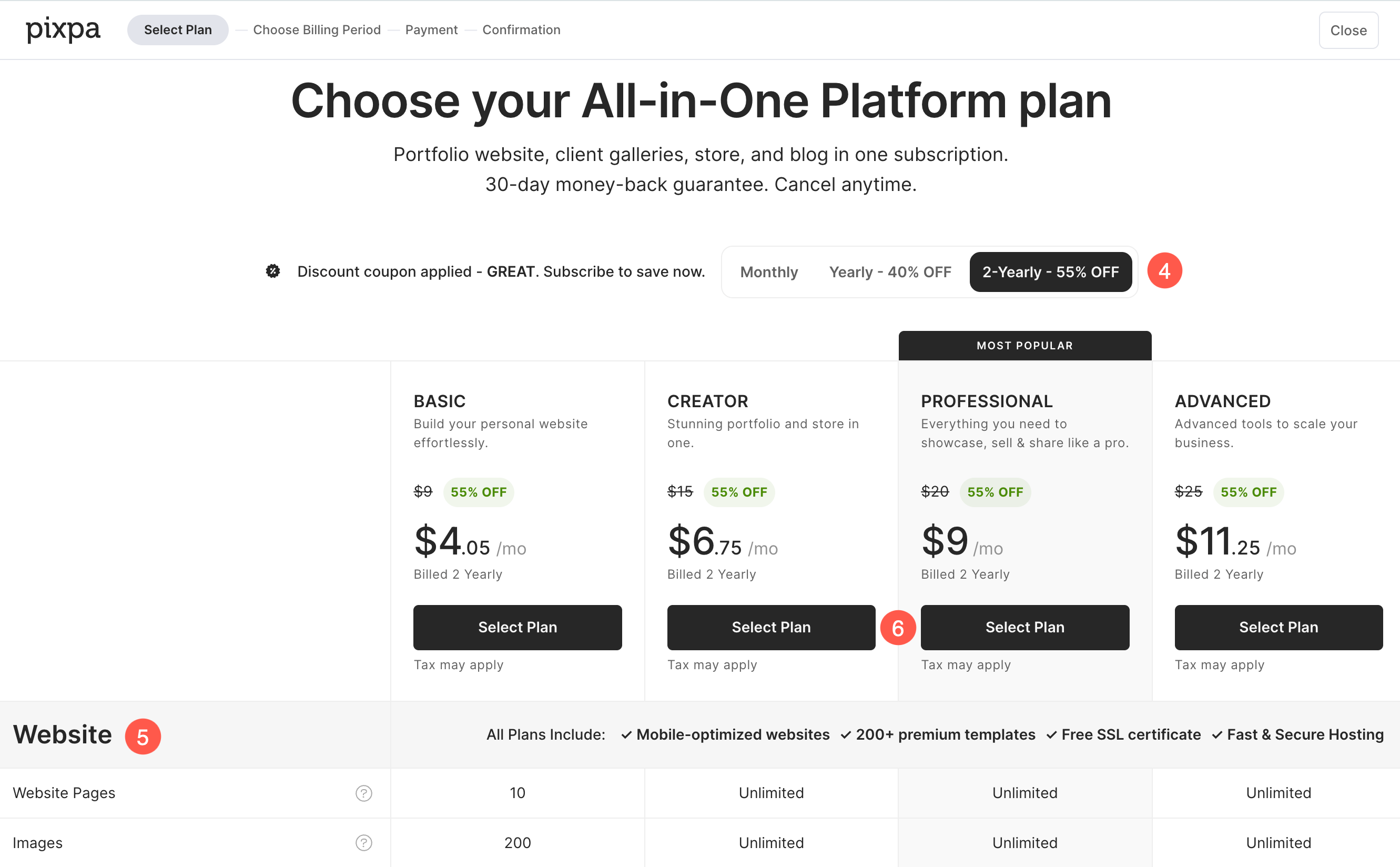
- Basert på plantype valgt I forrige trinn vil du bli presentert for de tilgjengelige abonnementsplanene. Velg faktura periode som best passer dine behov:
- Månedlig
- Årlig
- 2 Årlig
- Hver plan inneholder et annet sett med ressurser og funksjonerDu kan sammenligne dem direkte på denne siden før du foretar ditt valg. Bla nedover for å se den detaljerte sammenligningen tabellen, som viser alle ressursene og funksjonene som er inkludert i hver plan.
- Når du har valgt planen som passer best for dine behov, klikker du på Velg Plan å gå videre til neste trinn.
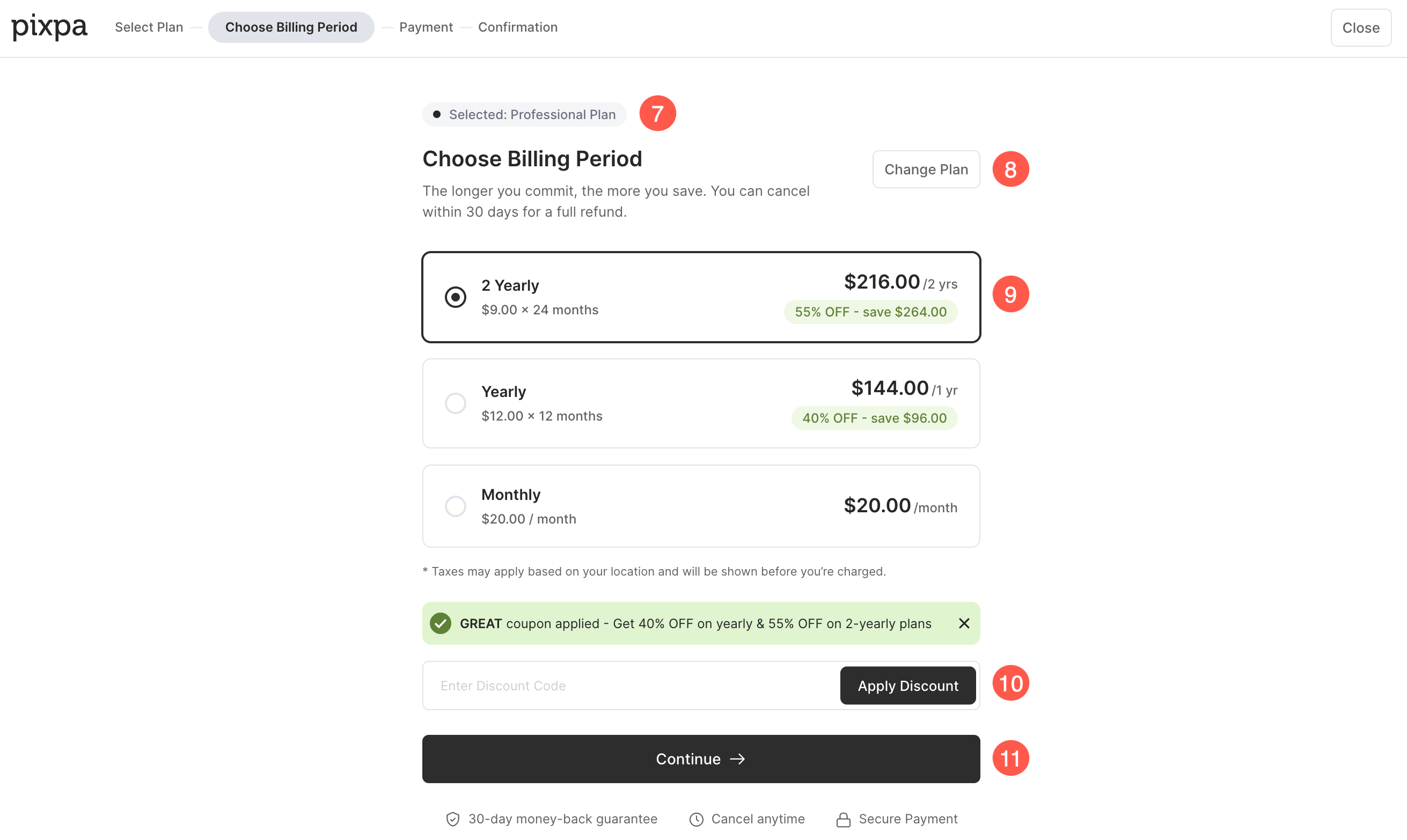
- Du vil se valgt plan vises øverst på siden.
- Hvis du vil velge en annen plan, klikker du på Endre plan knapp.
- Her kan du gjennomgå prisene for den valgte planen og velg din foretrukne faktureringsperiode (Månedlig, årlig eller annenhvert år).
- Hvis du har en rabatt-kupong, skriv den inn i Rabattkode-feltet og klikk på Bruk rabatt. Hvis en kupong allerede er brukt, vises den rabatterte prisen automatisk.
- Når du har gjennomgått plandetaljene og valgt ønsket faktureringsperiode, klikker du på Fortsett for å gå videre til betalingssiden.
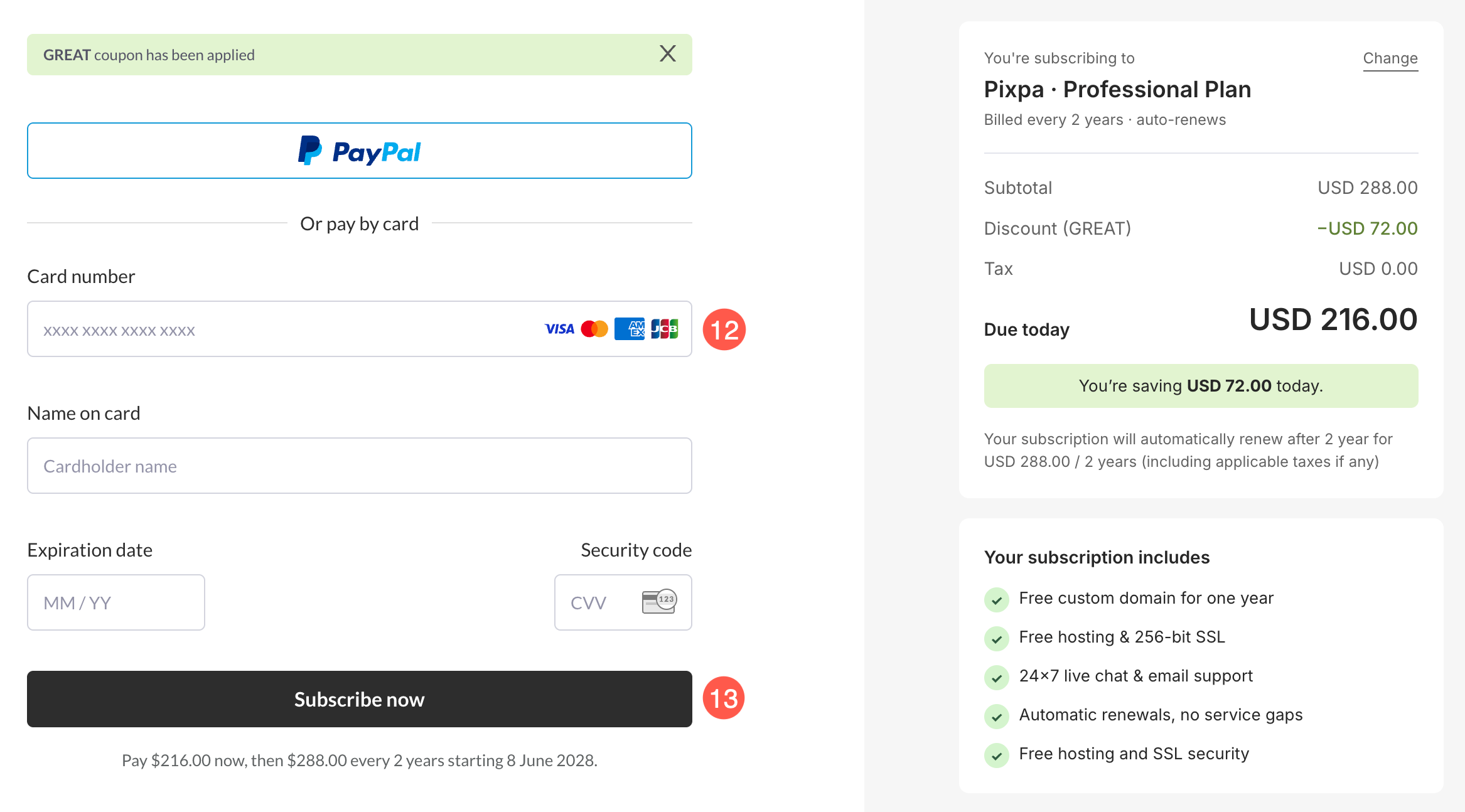
- Dette tar deg til kassesiden hvor du kan send inn dine opplysninger (navn, e-post og kredittkortopplysninger) for å starte abonnementet ditt.
- Når du er klar, klikker du på Abonner nå knappen for å fullføre abonnementet.
- Det er det. Du er ferdig. Kontoen din vil nå bli oppgradert til en betalt konto.