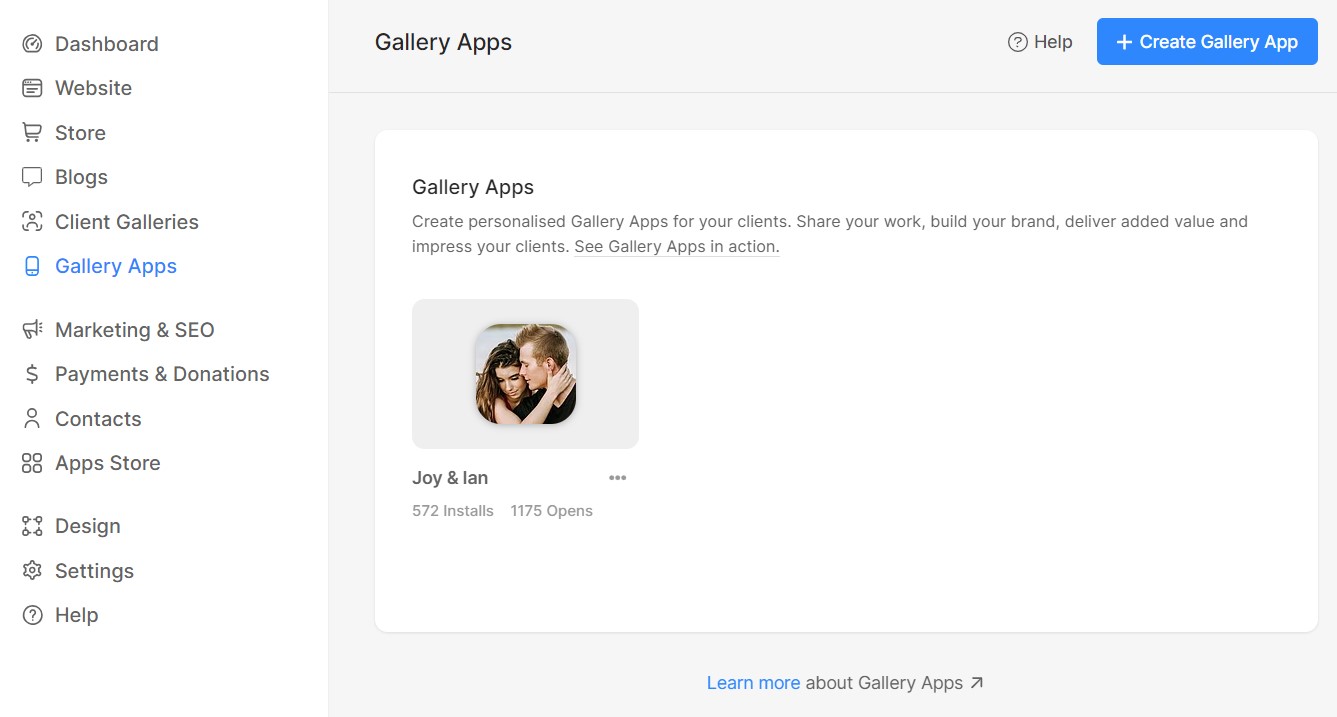
Met het Gallery Links-platform van Pixpa kunt u gepersonaliseerde mobiele galerij-apps voor uw klanten maken. Deel uw werk, bouw aan uw merk, bied toegevoegde waarde en maak indruk op uw klanten.
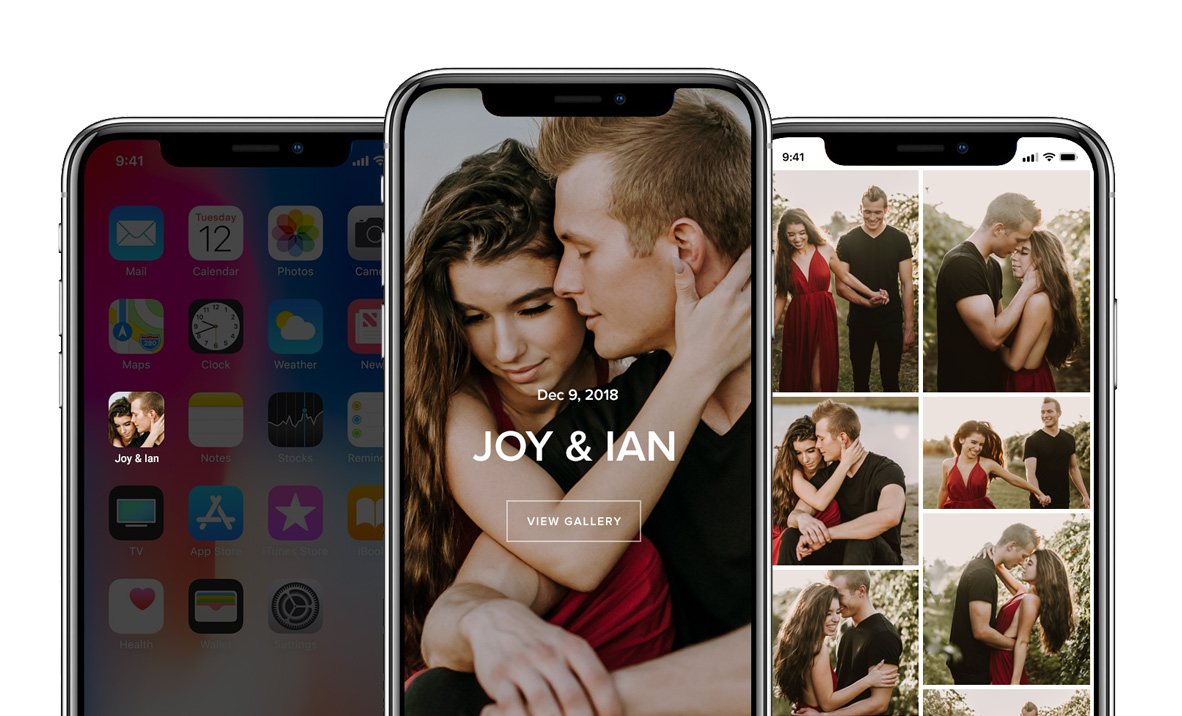
Je kunt een galerijlink aanmaken als voorproefje van een fotoshoot of om hoogtepunten van een project dat je hebt gedaan te delen. Elke link bevat tools om te delen op sociale media, evenals je merknaam en contactgegevens.
Maak indruk op uw klanten door ze aan het einde van een project een link naar hun fotogalerij cadeau te doen, of vraag er zelfs een vergoeding voor als extra service. Deze links zijn een krachtig hulpmiddel voor uw klanten om hun foto's te delen met familie en vrienden. Ze zijn ook een uitstekend marketinginstrument voor u, omdat uw merk meer bekendheid krijgt en uw contactgegevens worden gedeeld wanneer de link via een mobiel apparaat wordt gedeeld. Lees meer.
Bekijk een voorbeeld van een galerij via deze link: https://grace.pixpa.com/mobileapp
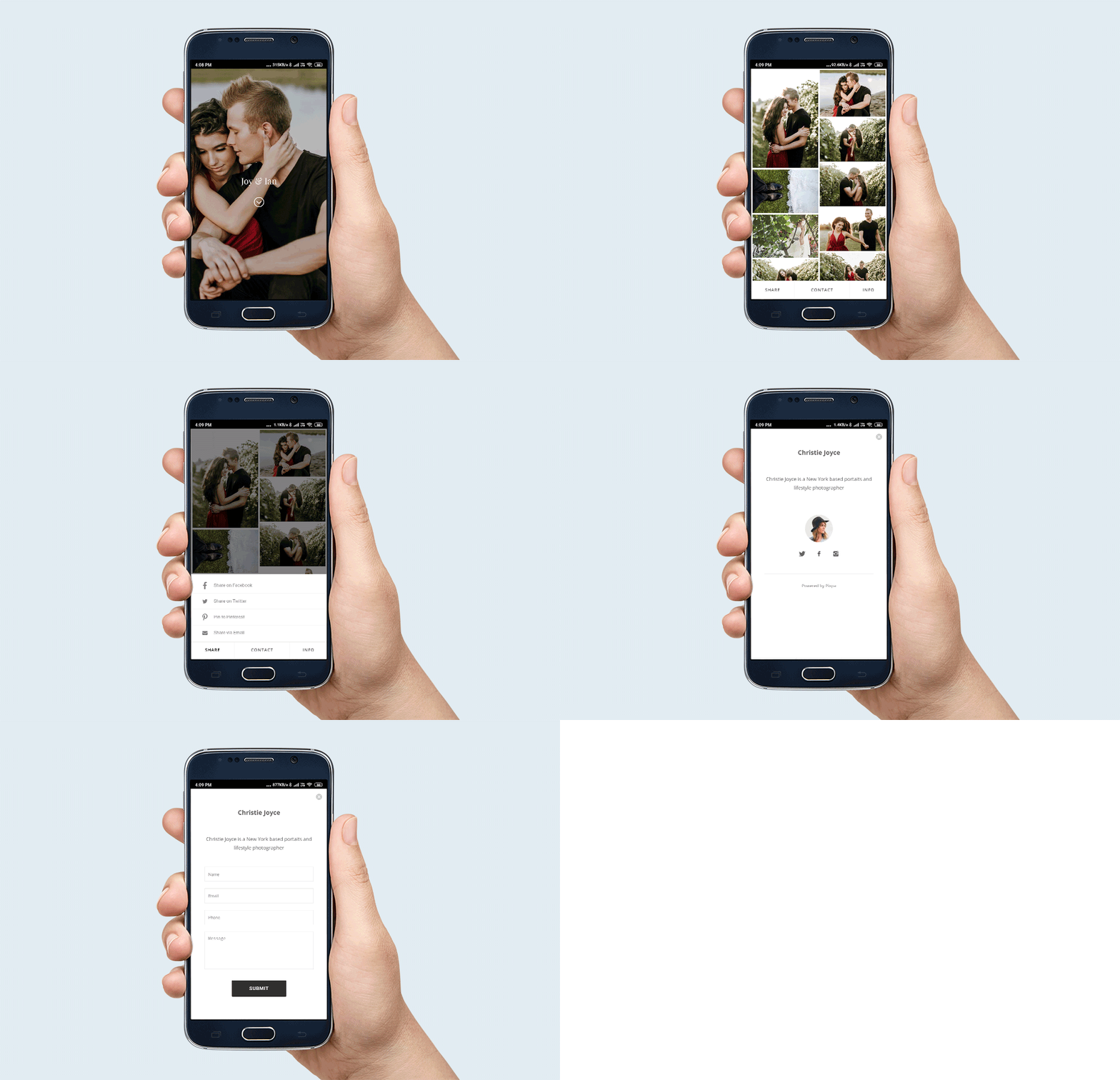
Hieronder vind je een paar manieren waarop je galerijlinks kunt gebruiken:
- Je hebt een opdracht gedaan voor een klant en wilde het hoogtepunt van je werk delen als een branded app.
- U wilt een selectie van uw werk laten zien aan een potentiële klant zonder het op te nemen in uw openbare portfoliowebsite.
- U wilt een openbaar toegankelijke mobiele galerij van uw werk die onafhankelijk is van uw website – bijvoorbeeld voor een evenement, een campagne of een specifiek project.
Er zijn nog veel meer manieren waarop je de Gallery Links- tool van Pixpa kunt gebruiken. Het is een robuuste, veilige en interactieve manier om je werk te presenteren en te delen met specifieke doelgroepen, los van je openbare website.
Het aantal beschikbare galerijlinks is afhankelijk van je Pixpa-abonnement. Met het Basic-abonnement kun je maximaal 3 galerijlinks toevoegen, met het Creator-abonnement maximaal 10, met het Professional-abonnement maximaal 25 en met het Advanced-abonnement onbeperkt. Klik hier om alle abonnementen te bekijken.
Bekijk een voorbeeld van een galerijlink: https://grace.pixpa.com/mobileapp