
Pixpa te ofrece una prueba gratuita de 15 días para que pruebes nuestra plataforma de creación de sitios web . Explora Pixpa, haznos cualquier pregunta y empieza a crear tu sitio web durante este periodo de prueba.
Puede comenzar su suscripción cuando esté listo en los 15 días de la prueba gratuita o incluso después de que caduque su prueba. Su sitio web se activará y estará disponible para todos una vez que inicie la suscripción.
Cuando esté listo para iniciar su suscripción, siga estos pasos:
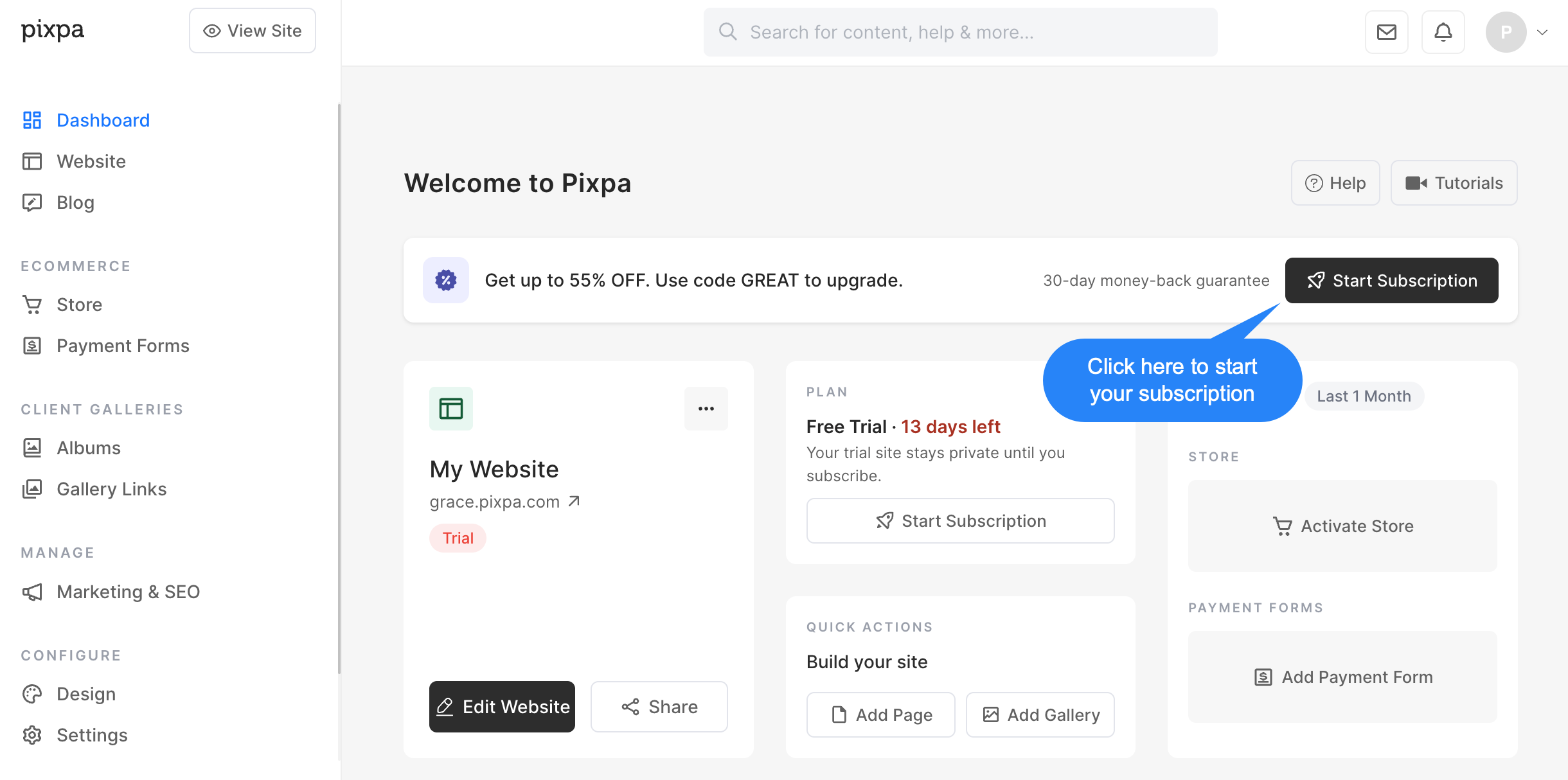
- Haga clic en el elemento Iniciar suscripción botón en el estudio.
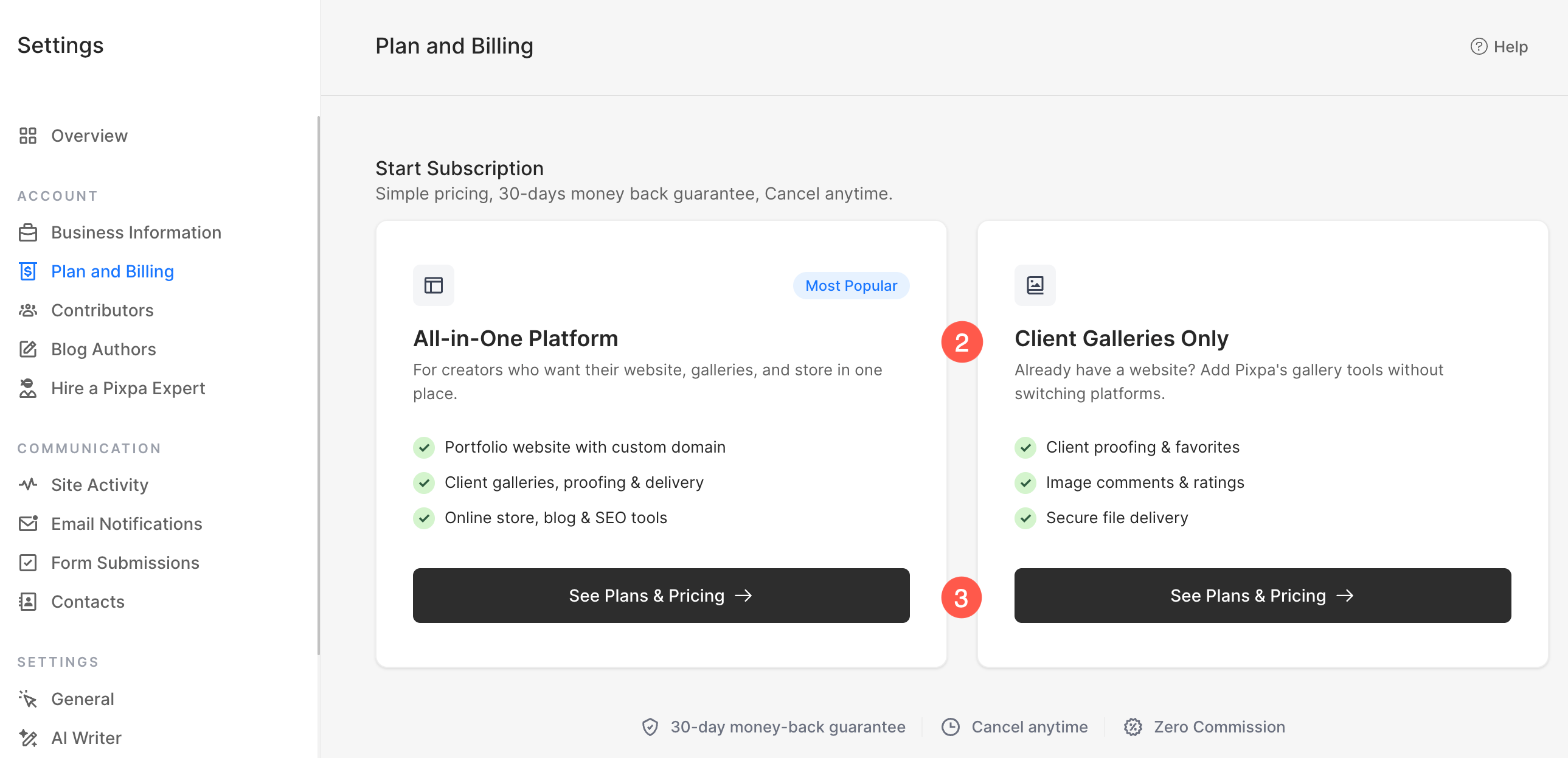
- En la siguiente pantalla, elige el tipo de plan que mejor se adapte a tus necesidades:
- Todo en una plataforma
- Incluye un sitio web completo con dominio personalizado.
- Incluye galerías para clientes, revisión de pruebas y entrega de imágenes.
- Incluye una tienda online, un blog y herramientas de SEO.
- Ideal si quieres crear y gestionar toda tu página web en Pixpa.
- Solo galerías de clientes
- Diseñado para usuarios que ya tienen un sitio web en otro lugar.
- Incluye la revisión del cliente, los favoritos, los comentarios y las valoraciones.
- Incluye herramientas seguras para la entrega de imágenes.
- Ideal si solo necesitas las funciones de galería y gestión de clientes de Pixpa, sin un sitio web completo.
- Haga clic en Ver planes y precios Seleccione la opción que prefiera para ver los planes de suscripción disponibles y completar el proceso de suscripción.
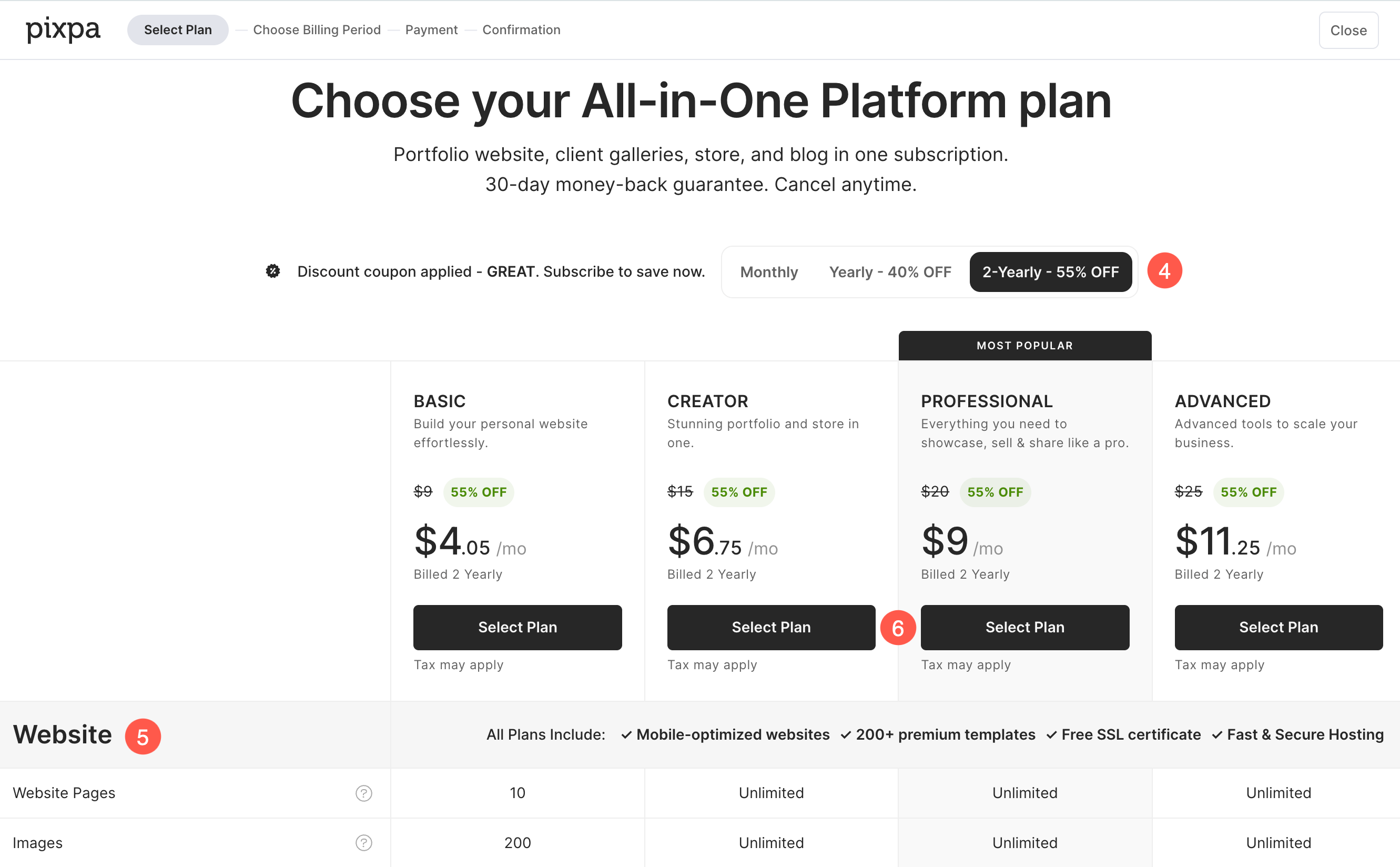
- Basándose en el Tipo de plan seleccionado En el paso anterior, se le presentarán los planes de suscripción disponibles. Elija el período de facturación que mejor se adapte a tus necesidades:
- Mensual
- Anual
- 2 anual
- Cada plan incluye un conjunto diferente de recursos y característicasPuedes compararlos directamente en esta página antes de hacer tu selección. Desplácese hacia abajo para ver la comparación detallada. tabla, que enumera todos los recursos y características incluidos en cada plan.
- Una vez que haya seleccionado el plan que mejor se adapte a sus necesidades, haga clic aquí. Crea tu cuenta para pasar al siguiente paso.
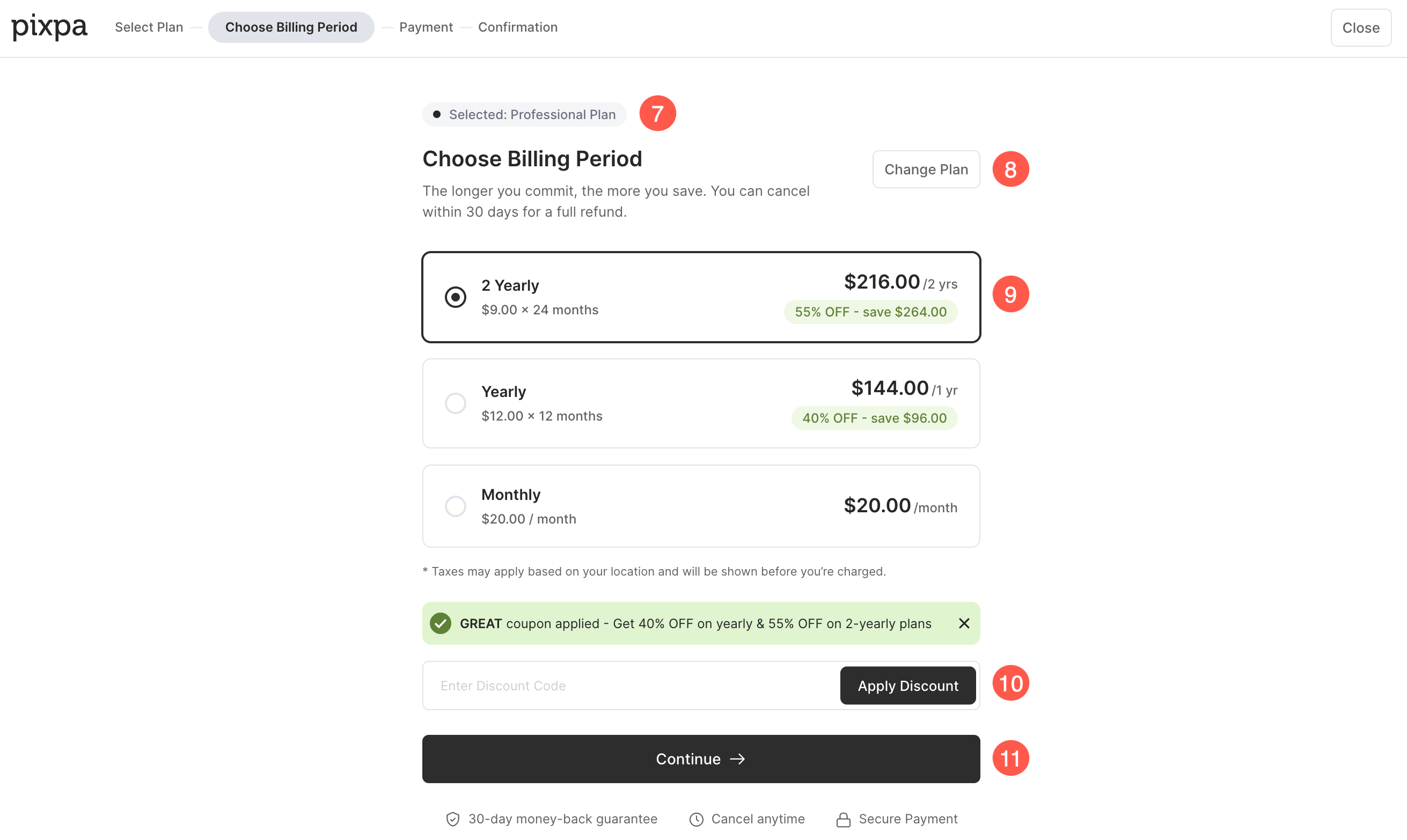
- Usted verá el plan seleccionado se muestra en la parte superior de la página.
- Si desea elegir un plan diferente, haga clic en el Cambio de plan .
- Aquí puedes revisar los precios para el plan seleccionado y elige tu período de facturación preferido (Mensual, Anual o bianual).
- Si usted tiene una cupón de descuentoIntrodúzcalo en el campo Código de descuento y haga clic en Aplicar descuento. Si ya se ha aplicado un cupón, el precio con descuento se mostrará automáticamente.
- Una vez que haya revisado los detalles del plan y seleccionado su período de facturación preferido, haga clic en Continuar para proceder a la página de pago.
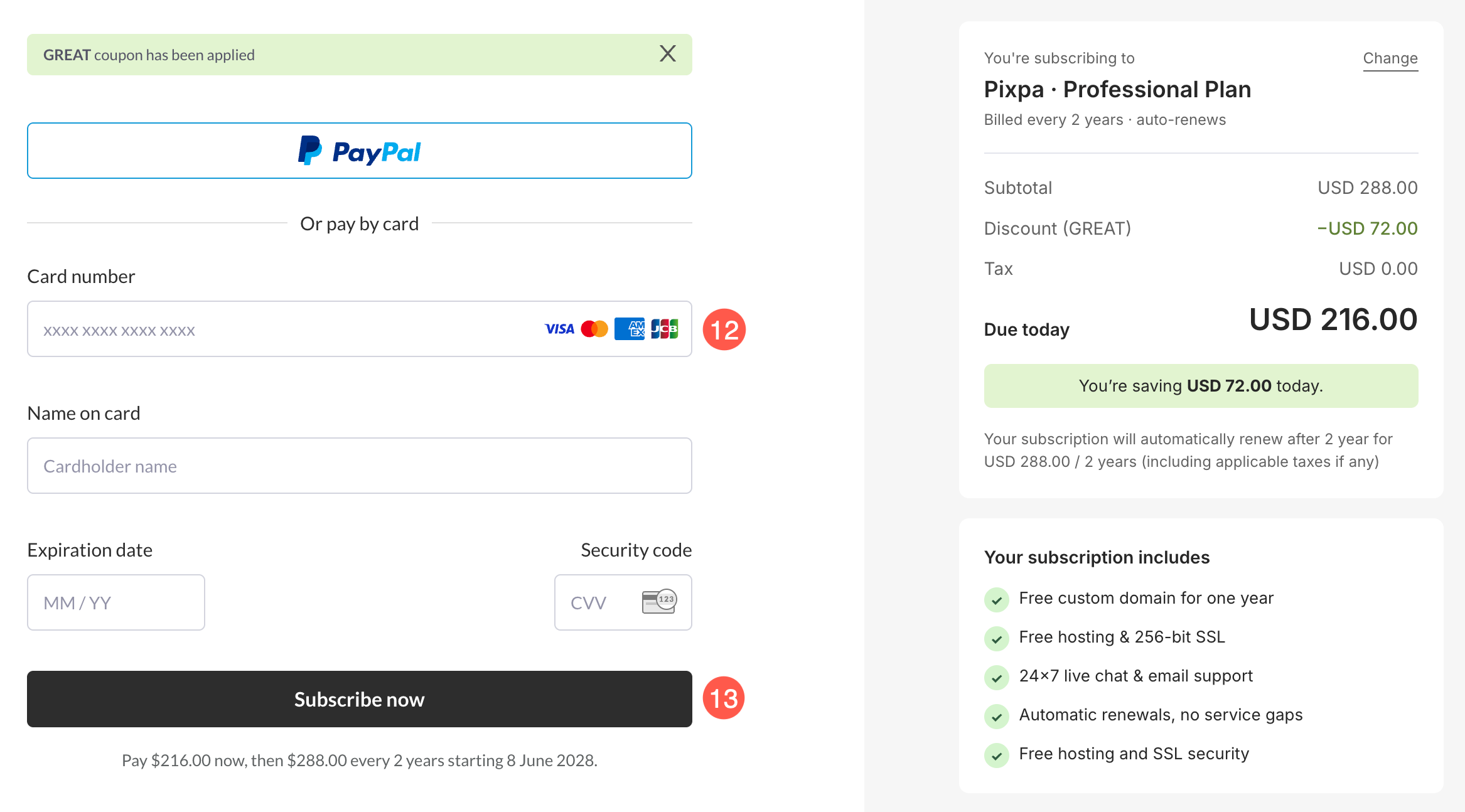
- Esto te llevará a la página de pago donde podrás Envía tus datos (nombre, correo electrónico y datos de la tarjeta de crédito) para iniciar su suscripción.
- Una vez que esté listo, haga clic en el Comprar Ahora Botón para completar tu suscripción.
- ¡Listo! Ya terminaste. Tu cuenta ahora se actualizará a una cuenta de pago.